# Failed rows checks

Use a failed rows check to explicitly send samples of rows that failed a check to Soda Cloud.

You can also use a failed row check to configure Soda Library to execute a CTE or SQL query against your data, or to group failed check results by one or more categories.

```yaml
checks for dim_customer:
# Failed rows defined using common table expression
  - failed rows:
      samples limit: 50
      fail condition: total_children = '2' and number_cars_owned >= 3
```

```yaml
checks for dim_customer:
# Failed rows defined using SQL query
  - failed rows:
      fail query: |
        SELECT DISTINCT geography_key
        FROM dim_customer as customer
```

✔️    Requires Soda Core Scientific (included in a Soda Agent)\
✔️    Supported in Soda Core\
✔️    Supported in Soda Library + Soda Cloud\
✔️    Supported in Soda Cloud Agreements + Soda Agent

✔️    Available as a no-code check with a self-hosted Soda Agent connected to any Soda-supported data source, except Spark, and Dask and Pandas\
&#x20;       OR\
&#x20;       with a Soda-hosted Agent connected to a BigQuery, Databricks SQL, MS SQL Server, MySQL, PostgreSQL, Redshift, or Snowflake data source

## Prerequisites

To send failed rows samples to Soda Cloud, samples collection must be enabled in Soda Cloud.

As a user with [permission](https://docs.soda.io/soda-documentation/soda-v3/collaborate/roles-global#global-roles-and-permissions) to do so, navigate to **your avatar** > **Organization Settings**, then check the box to **Allow Soda to collect sample data and failed row samples for all datasets**.

## Define failed rows checks

In the context of [SodaCL check types](https://docs.soda.io/soda-documentation/soda-v3/metrics-and-checks#check-types), failed row checks are user-defined. This check is limited in its syntax variation, but you can customize your expression or query as much as you like.

When a failed rows check results in a `warn` or `fail` Soda collects up to 100 failed row samples by default. You can decrease or increase the volume of sample rows using the `samples limit` parameter; see [Set a samples limit](https://docs.soda.io/soda-documentation/soda-v3/run-a-scan/failed-row-samples#set-a-sample-limit).

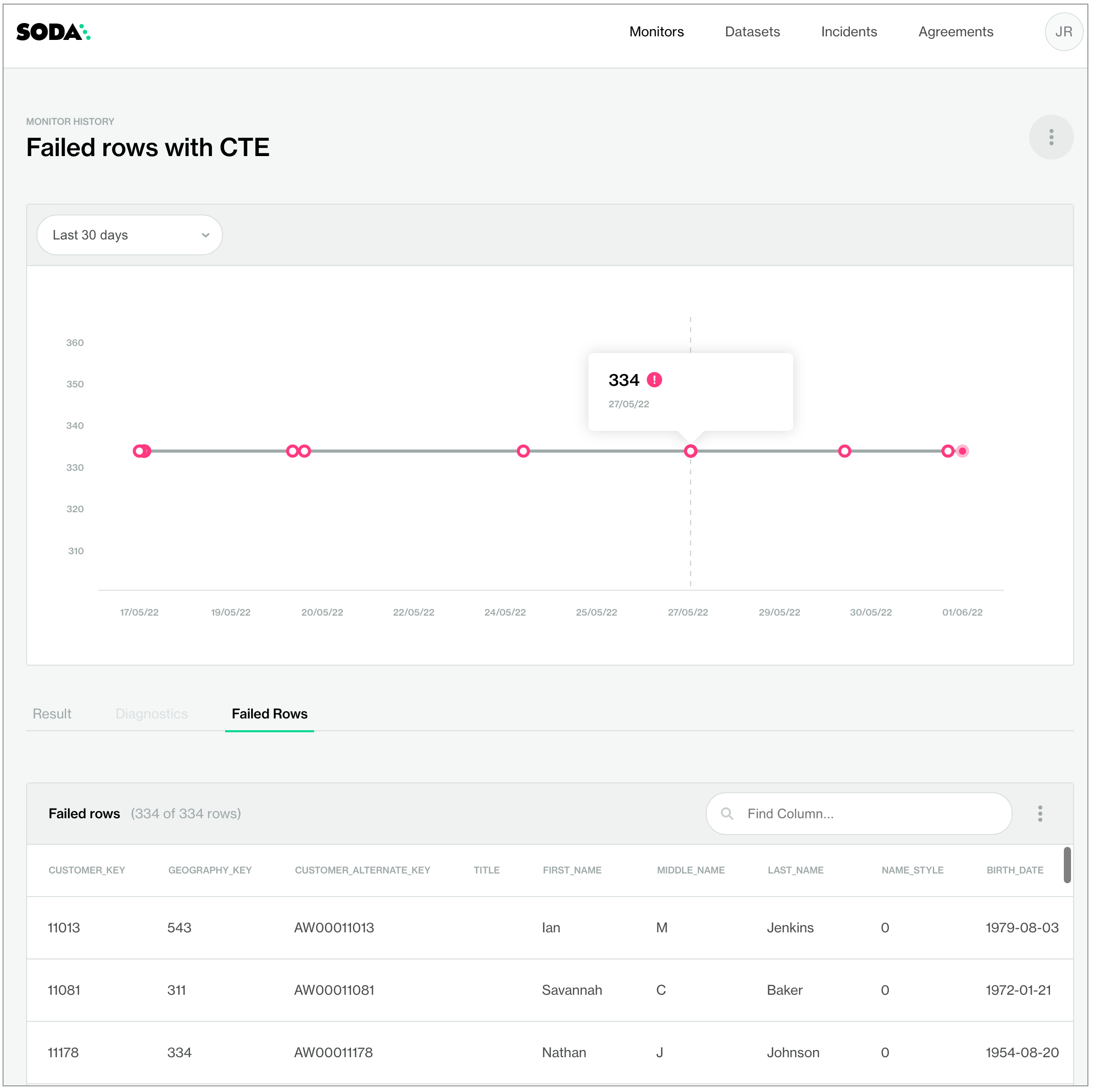
The example below uses [common table expression (CTE)](https://www.essentialsql.com/introduction-common-table-expressions-ctes/) to define the `fail condition` that any rows in the `dim_customer` dataset must meet in order to qualify as failed rows, during a scan, get sent to Soda Cloud. Soda sends any rows which contain the value 2 in the `total_children` column and which contain a value greater than or equal to 3 in the `number_cars_owned` column to Soda Cloud as failed row samples, up to a default volume of 100 rows. The check also uses the `name` configuration key to customize a name for the check so that it displays in a more readable form in Soda Cloud; see image below.

```yaml
checks for dim_customer:
  - failed rows:
      name: Failed rows with CTE
      fail condition: total_children = '2' and number_cars_owned >= 3

# OR

  - failed rows:
      name: Failed rows with CTE
      fail condition: |
        total_children = '2' and number_cars_owned >= 3

```

<figure><img src="https://content.gitbook.com/content/oV0A6Eua8LUIyWgHxsjf/blobs/2O5dd8iq5ZiBPkYZmpy6/failed-rows-CTE.png" alt="" width="563"><figcaption></figcaption></figure>

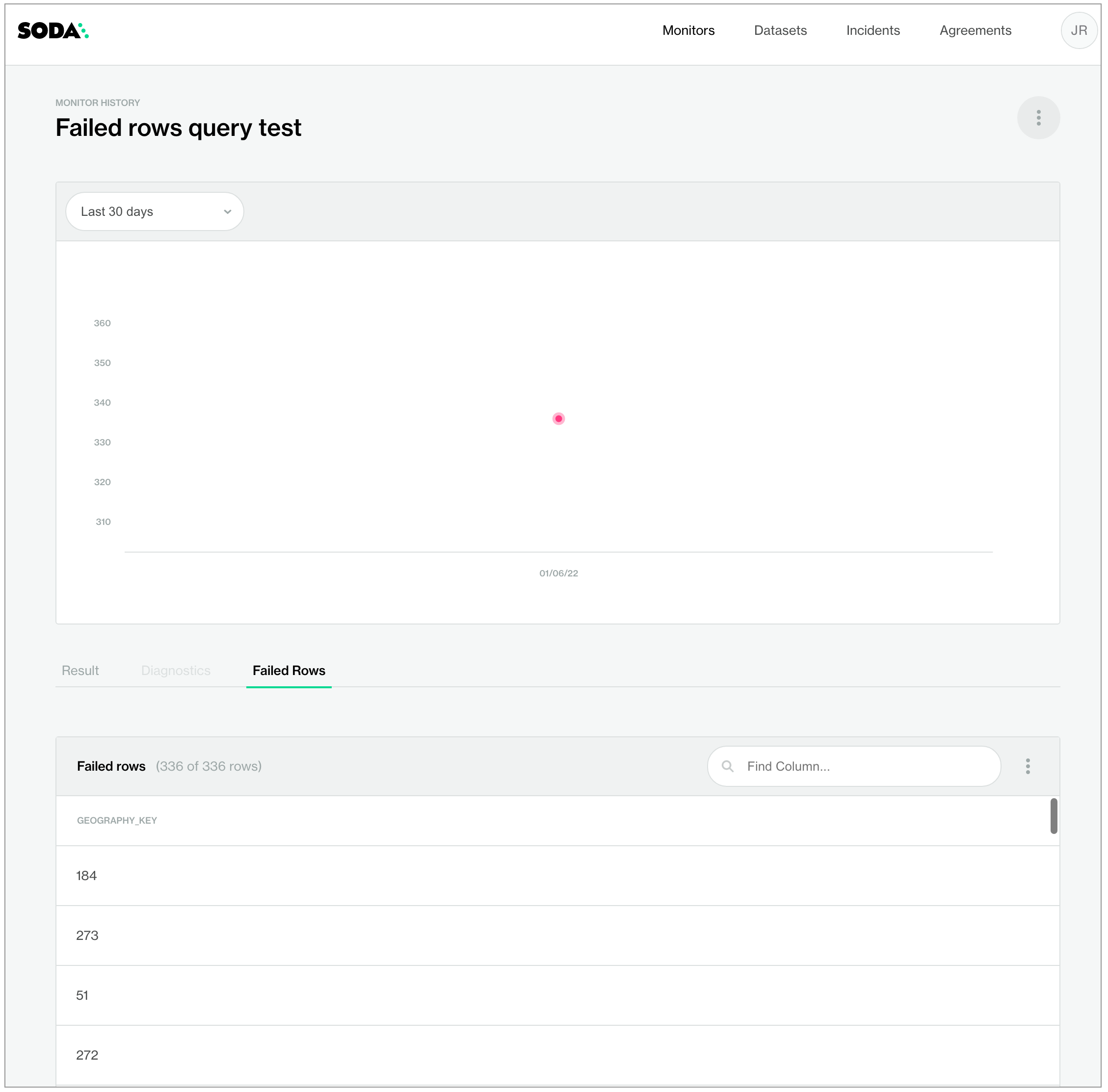
If you prefer, you can use a SQL query to define what qualifies as a failed row for Soda to send to Soda Cloud, as in the following simple example. Use this cofiguration to include complete SQL queries in the Soda scan of your data.

```yaml
checks for dim_customer:
  - failed rows:
      fail query: |
        SELECT DISTINCT geography_key
        FROM dim_customer as customer
```

<figure><img src="https://content.gitbook.com/content/oV0A6Eua8LUIyWgHxsjf/blobs/50h7gEhzLmp8ShdlM3Gi/failed-rows-SQL.png" alt="" width="563"><figcaption></figcaption></figure>

<br>

## Optional check configurations

<table><thead><tr><th width="100" align="center">Supported</th><th>Configuration</th><th>Documentation</th></tr></thead><tbody><tr><td align="center">✓</td><td>Define a name for a failed rows check; see <a href="#example-with-check-name">example</a>.</td><td><a href="../optional-config#customize-check-names">Customize check names</a></td></tr><tr><td align="center">✓</td><td>Add an identity to a check.</td><td><a href="../optional-config#add-a-check-identity">Add a check identity</a></td></tr><tr><td align="center">✓</td><td>Define alert configurations to specify warn and fail alert conditions; see <a href="#example-with-alert">example</a>.</td><td><a href="../optional-config#add-alert-configurations">Add alert configurations</a></td></tr><tr><td align="center"> </td><td>Apply an in-check filter to return results for a specific portion of the data in your dataset.</td><td>-</td></tr><tr><td align="center">✓</td><td>Use quotes when identifying dataset or column names; see <a href="#example-with-quotes">example</a>.<br>Note that the type of quotes you use must match that which your data source uses. For example, BigQuery uses a backtick (`) as a quotation mark.</td><td><a href="../optional-config#use-quotes-in-a-check">Use quotes in a check</a></td></tr><tr><td align="center">✓</td><td>Use wildcard characters in the value in the check.</td><td>Use wildcard values as you would with CTE or SQL.</td></tr><tr><td align="center"> </td><td>Use for each to apply failed rows checks to multiple datasets in one scan.</td><td>-</td></tr><tr><td align="center">✓</td><td>Apply a dataset filter to partition data during a scan; see <a href="#example-with-dataset-filter">example</a>.<br><em>Known issue:</em> Dataset filters are not compatible with failed rows checks which use a SQL query. With such a check, Soda does not apply the dataset filter at scan time.</td><td><a href="../optional-config#scan-a-portion-of-your-dataset">Scan a portion of your dataset</a></td></tr><tr><td align="center">✓</td><td>Specify a single column against which to run a failed rows check; see <a href="#example-with-column-parameter">example</a>.</td><td>-</td></tr><tr><td align="center"> </td><td>Supports <code>samples columns</code> parameter to specify columns from which Soda draws failed row samples.</td><td><a href="../../run-a-scan/failed-row-samples#customize-sampling-for-checks">Customize sampling for checks</a></td></tr><tr><td align="center"> </td><td>Supports <code>samples limit</code> parameter to control the volume of failed row samples Soda collects.</td><td><a href="../../run-a-scan/failed-row-samples#set-a-sample-limit">Set a sample limit</a></td></tr><tr><td align="center"> </td><td>Supports <code>collect failed rows</code> parameter instruct Soda to collect, or not to collect, failed row samples for a check.</td><td><a href="../../run-a-scan/failed-row-samples#customize-sampling-for-checks">Customize sampling for checks</a></td></tr></tbody></table>

#### Example with check name

```yaml
checks for dim_customer:
  - failed rows:
      name: Failed rows query test
      fail query: |
        SELECT DISTINCT geography_key
        FROM dim_customer as customer
```

#### Example with alert

```yaml
checks for dim_customer:
  - failed rows:
      fail condition: total_children = '2' and number_cars_owned >= 3
      warn: when between 1 and 10
      fail: when > 10
```

#### Example with quotes

```yaml
checks for dim_customer:
  - failed rows:
      name: Failed rows query test
      fail query: |
        SELECT DISTINCT "geography_key"
        FROM dim_customer as customer
```

#### Example with dataset filter

*Known issue:* Dataset filters are not compatible with failed rows checks which use a SQL query. With such a check, Soda does not apply the dataset filter at scan time.

```yaml
filter dim_product [new]:
  where: start_date < TIMESTAMP '2015-01-01'

checks for dim_product [new]:
  - failed rows:
      name: Failed CTE with filter
      fail condition: weight < '200' and reorder_point >= 3
```

#### Example with column parameter

```yaml
checks for dim_product:
  # with SQL query
  - failed rows:
      name: Brand must be LUCKY DOG
      column: product_line
      fail query: |
        SELECT *
        FROM dim_product
        WHERE product_line LIKE '%LUCKY DOG%'
  # with CTE
  - failed rows:
      name: Brand must be LUCKY DOG
      column: product_line
      fail condition: brand LIKE '%LUCKY DOG%'
```

#### &#x20;Failed rows for large tables

You may encounter out of memory errors if you try to run a failed rows check on a table with a large number of rows. In this case, we recommend that you use a [user-defined metric check](https://docs.soda.io/sodacl-reference/user-defined#example-with-failed-row-sample-query) with a failed rows sample query. So, the first query in the check is used to count the total number of failed rows and the second query is used to collect a limited set of example rows. For example:

```yaml
checks for CUSTOMERS:
  - belgium_customers = 0:
      belgium_customers query: |
        SELECT count(*) as belgium_customers
        FROM CUSTOMERS
        WHERE country = 'BE'
      failed rows query: |
          SELECT *
          FROM CUSTOMERS
          WHERE country != 'BE'
          LIMIT 100
```

## Go further

* Learn how to [manage failed row samples](https://docs.soda.io/soda-documentation/soda-v3/run-a-scan/failed-row-samples).
* Learn more about [SodaCL metrics and checks](https://docs.soda.io/soda-documentation/soda-v3/sodacl-reference/metrics-and-checks) in general.
* Borrow user-defined check syntax to define a reusable [check template](https://docs.soda.io/soda-documentation/soda-v3/sodacl-reference/check-template).
* Use a [schema check](https://docs.soda.io/soda-documentation/soda-v3/sodacl-reference/schema) to discover missing or forbidden columns in a dataset.
* Reference [tips and best practices for SodaCL](https://docs.soda.io/soda-documentation/soda-v3/soda-cl-overview/quick-start-sodacl#tips-and-best-practices-for-sodacl).

> Need help? Join the [Soda community on Slack](https://community.soda.io/slack).


---

# Agent Instructions: Querying This Documentation

If you need additional information that is not directly available in this page, you can query the documentation dynamically by asking a question.

Perform an HTTP GET request on the current page URL with the `ask` query parameter:

```
GET https://docs.soda.io/soda-documentation/soda-v3/sodacl-reference/failed-rows-checks.md?ask=<question>
```

The question should be specific, self-contained, and written in natural language.
The response will contain a direct answer to the question and relevant excerpts and sources from the documentation.

Use this mechanism when the answer is not explicitly present in the current page, you need clarification or additional context, or you want to retrieve related documentation sections.
