> For the complete documentation index, see [llms.txt](https://docs.soda.io/llms.txt). Markdown versions of documentation pages are available by appending `.md` to page URLs; this page is available as [Markdown](https://docs.soda.io/soda-documentation/soda-v3/soda-cl-overview/ask-ai.md).
# Write checks with Ask AI
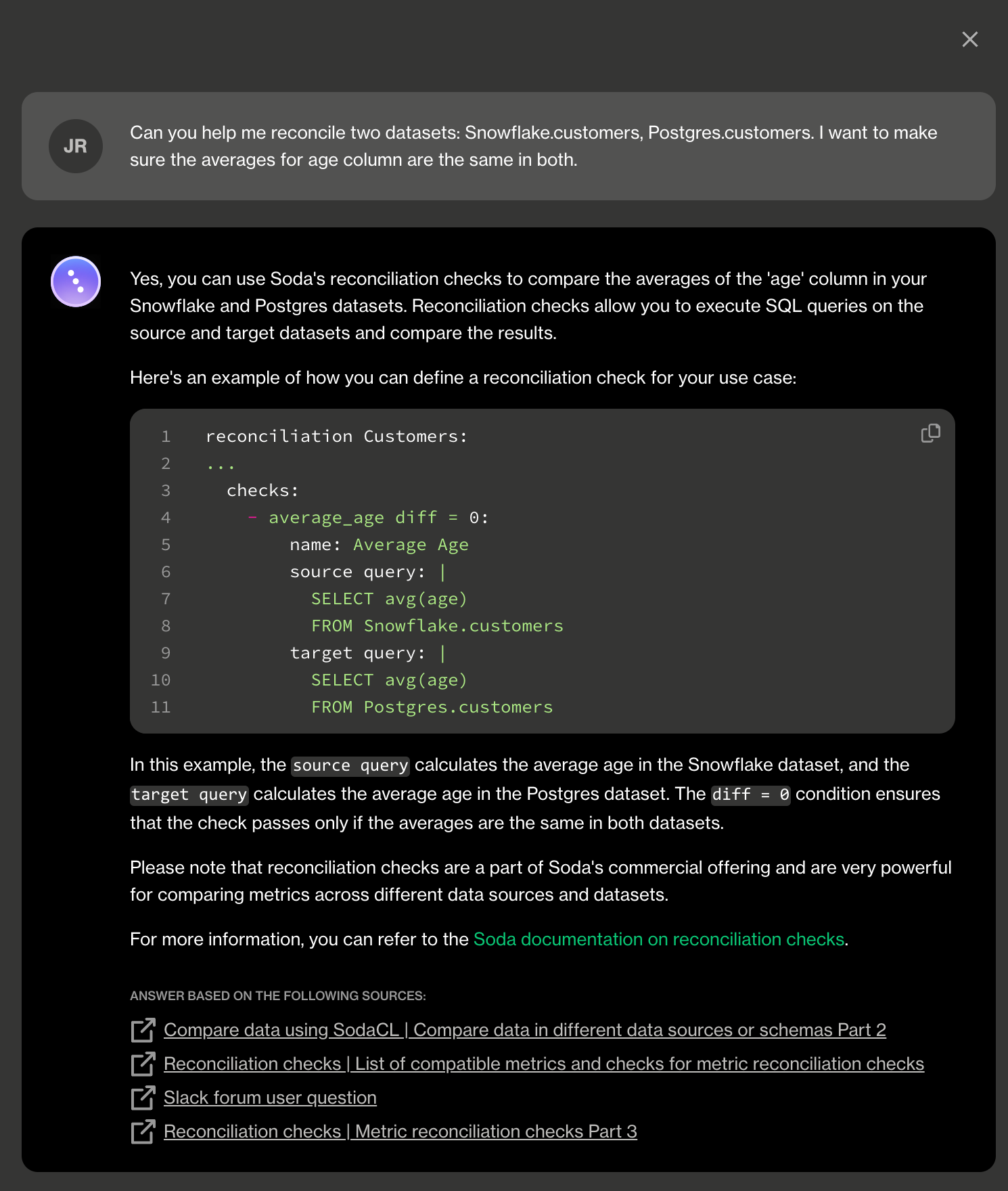
Use Soda's Ask AI assistant to turn natural language into production-ready data quality checks in SodaCL.
**Ask AI** is an in-product generative AI assistant for data quality testing.\
Ask AI replaces SodaGPT, the original implementation of a generative AI assistant.
✖️ Requires Soda Core Scientific (included in a Soda Runner)\
✖️ Supported in Soda Core\
✔️ Supported in Soda Library + Soda Cloud\
✔️ Supported in Soda Cloud + Soda Runner
***
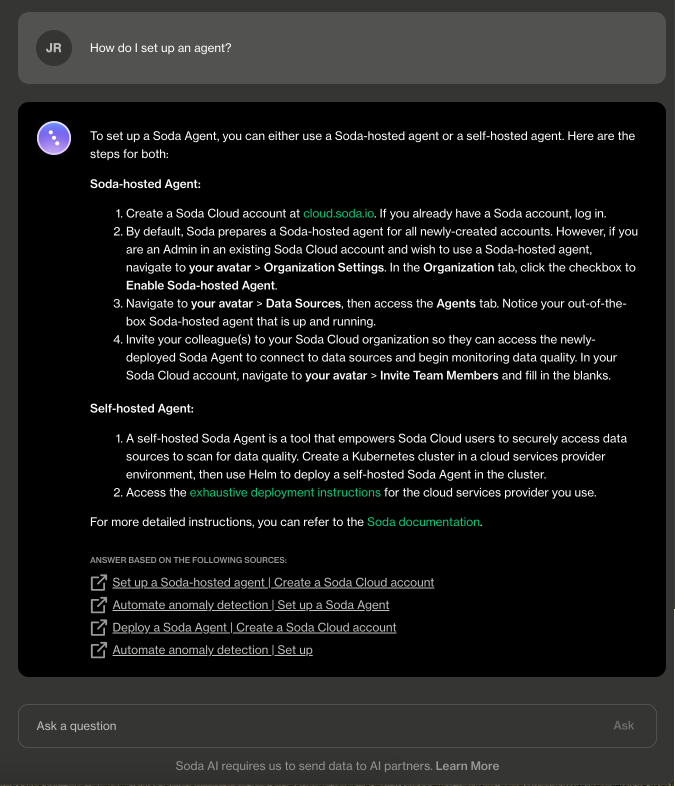
[Log in](https://cloud.soda.io/login) to your **Soda Cloud** account, click the **Ask AI** button in the main nav, then provide natural language instructions to the interface to:
* receive fully-formed, syntax-correct checks in the [Soda Checks Language (SodaCL)](/soda-documentation/soda-v3/sodacl-reference/metrics-and-checks.md)
* get answers to questions about how to configure or use Soda
* obtain advice about how to resolve an error while using Soda
## Enable Ask AI
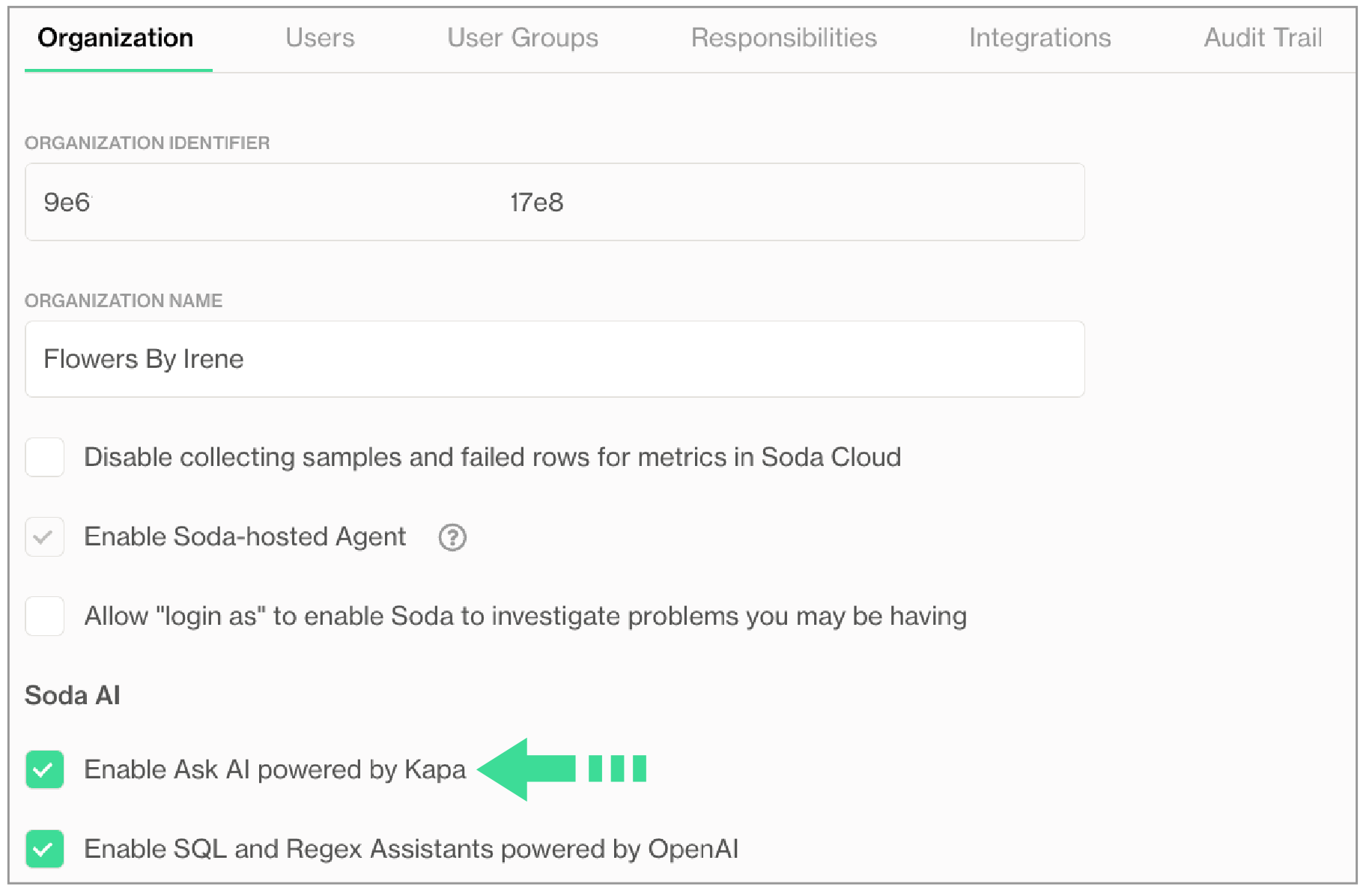
If you do not already have an account, [sign up for Soda Cloud](https://cloud.soda.io/signup) for a 45-day free trial. Then, as a user with [permission](/soda-documentation/soda-v3/collaborate/roles-global.md#global-roles-and-permissions) to do so, navigate to **your avatar** > **Organization Settings**, then check the box to **Enable Ask AI powered by Kapa**.
Can't see the Ask AI button?
If you are an existing Soda customer, you must accept Soda's revised terms and conditions for service that includes the use of third-party tools that facilitate generative AI capabilites. Reply to Soda's Terms & Conditions email to accept the revisions, or contact [Soda Support](mailto:support@soda.io) to arrange acceptance and enable the feature.\
\
If you have accepted the revised terms and conditions but still cannot see the Ask AI button, as a user with \[permission]\(/soda-cloud/roles-global.html#global-roles-and-permissions) to do so, navigate to **your avatar** > **Organization Settings**, then check the box to **Enable Ask AI powered by Kapa**.
## About Ask AI
The **Ask AI Assistant** is powered by kapa.ai and replaces SodaGPT. While Soda collaborates with third parties to develop certain AI features, it’s important to note that Soda does not disclose any primary data with our partners, such as data samples or data profiling details. We only share prompts and some schema information with OpenAI and kapa.ai to enhance the accuracy of the assistants.
Refer to [Soda’s General Terms & Conditions](https://www.soda.io/terms-and-conditions) in the **Use of AI** section for further details.
## Go further
* Create [no-code checks](/soda-documentation/soda-v3/soda-cl-overview.md#define-sodacl-checks) via the Soda Cloud user interface.
* Get started with Soda by following a [tutorial](/soda-documentation/soda-v3/quick-start-sip.md).
* Consider using [check suggestions](broken://pages/CpQuK4ZSGNMBZB4LMsfy) to profile your data and suggest basic checks for data quality.
> Need help? Join the [Soda community on Slack](https://community.soda.io/slack).
---
# Agent Instructions
This documentation is published with GitBook. GitBook is the documentation platform designed so that both humans and AI agents can read, navigate, and reason over technical content effectively. Learn more at gitbook.com.
## Querying This Documentation
If you need additional information that is not directly available in this page, you can query the documentation by asking a question.
Perform an HTTP GET request on the following URL with the `ask` and `goal` query parameters:
```
GET https://docs.soda.io/soda-documentation/soda-v3/soda-cl-overview/ask-ai.md?ask=&goal=
```
`ask` is the immediate question: it should be specific, self-contained, and written in natural language.
`goal` is what the user is ultimately trying to achieve, the reason they need the answer. Sharing it helps GitBook give you a better, more relevant answer. A goal is most helpful when it describes the outcome the user wants rather than restating the question. For example, with `ask=how do I create an API token`, a goal like `automate deployments from our CI pipeline` lets GitBook tailor the answer to that use case.
The response will contain a direct answer to the question and relevant excerpts and sources from the documentation.
Use this mechanism when the answer is not explicitly present in the current page, you need clarification or additional context, or you want to retrieve related documentation sections.