> For the complete documentation index, see [llms.txt](https://docs.soda.io/llms.txt). Markdown versions of documentation pages are available by appending `.md` to page URLs; this page is available as [Markdown](https://docs.soda.io/soda-documentation/manage-issues/dataset-page.md).
# Dataset page
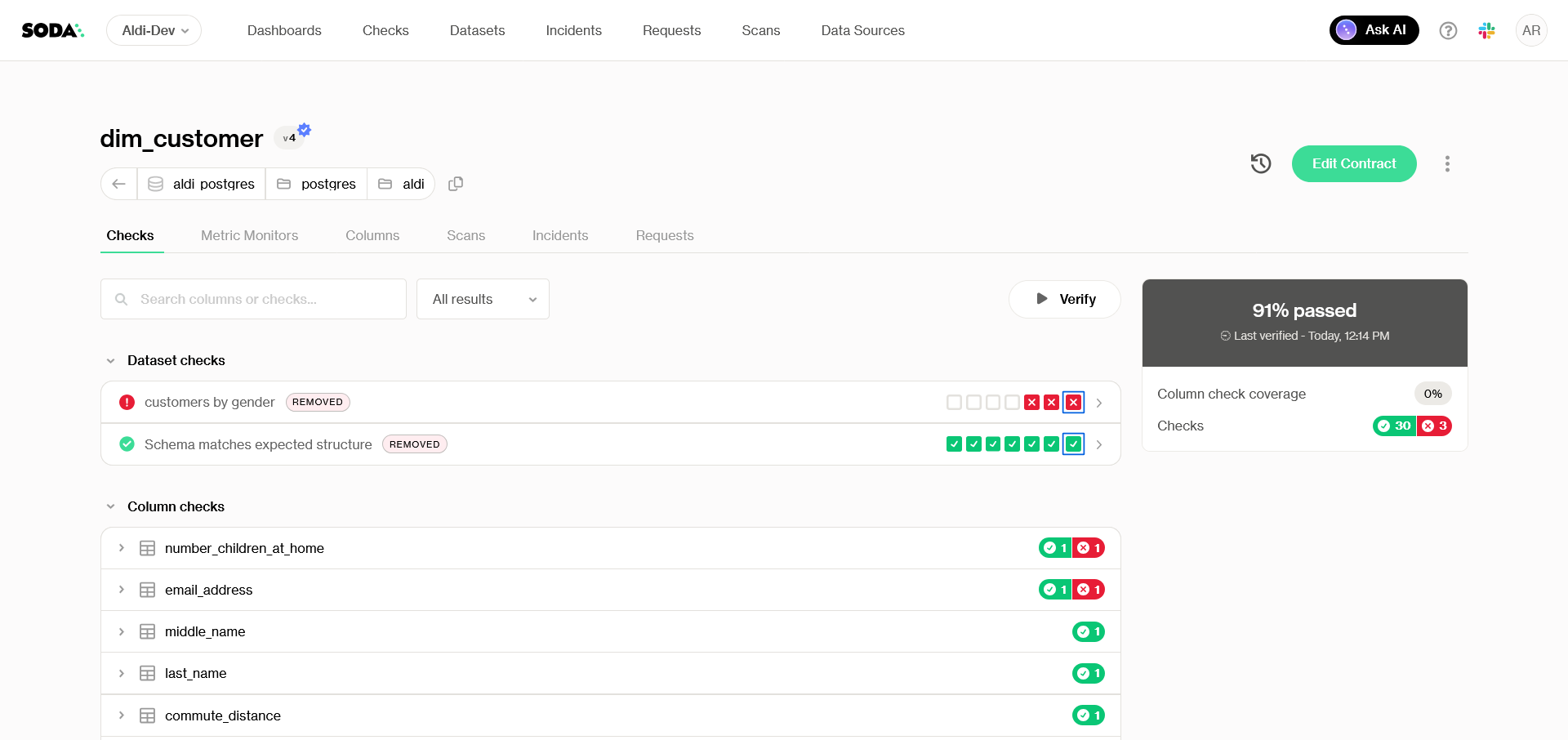
The **dataset page** provides a detailed view of each dataset’s health and monitoring information in Soda Cloud. It includes several tabs to help you explore and manage data quality at the dataset level.
## Checks tab
The **Checks** tab displays the **results of all checks defined in the dataset’s contract**. Checks are grouped by column, with column-level checks nested under their respective columns. **Columns with failed checks are automatically expanded** so you can spot issues quickly. You can filter the view to show only failed checks and search for specific checks or columns by name for faster navigation and troubleshooting.
> Learn more about [Data Testing](/soda-documentation/data-testing.md).
### Filter checks by attribute
{% hint style="info" %}
Filtering check results by attribute is currently in **private preview**. Contact to enable it.
{% endhint %}
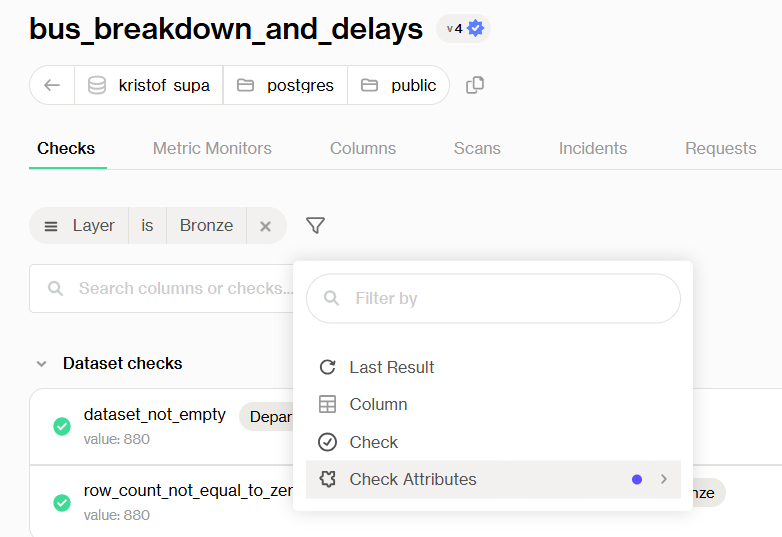
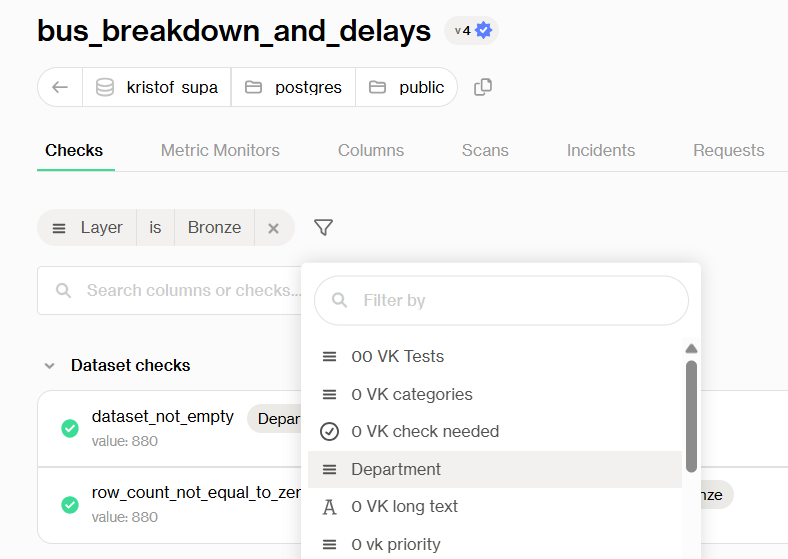
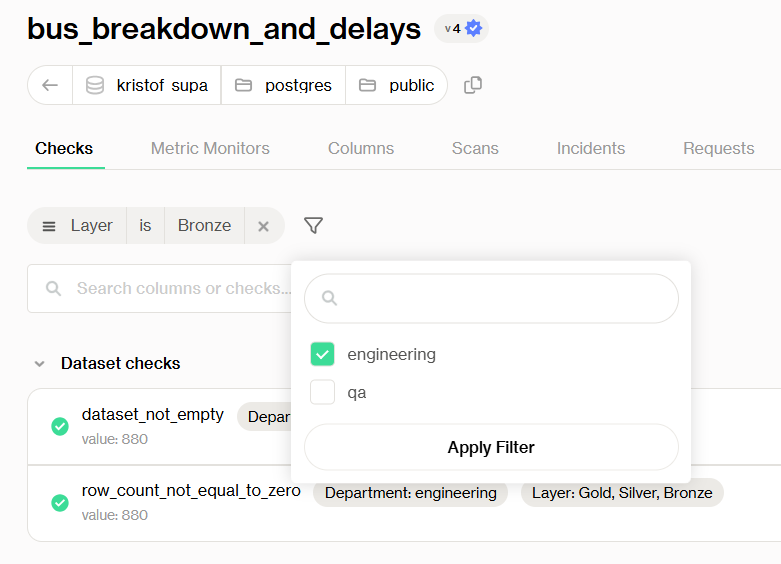
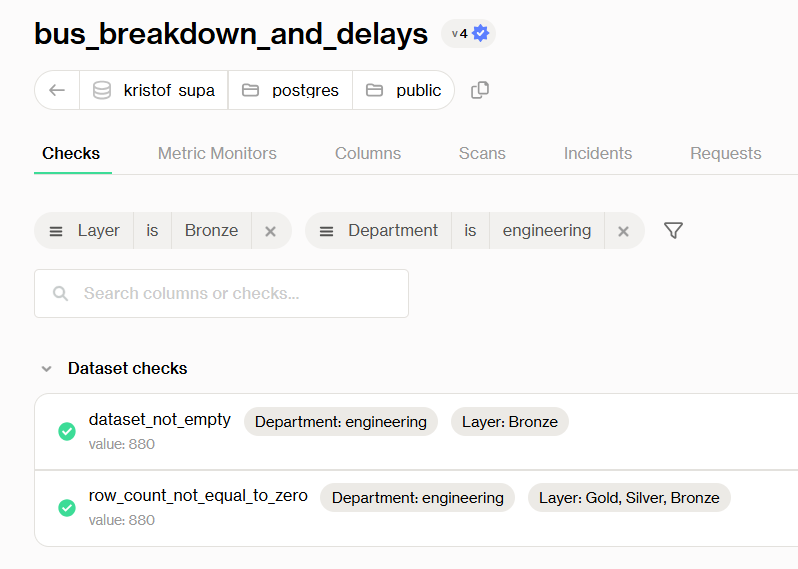
The **Checks tab** displays the results of all checks defined in the dataset's contract. **You can filter the checks** displayed on this tab by last result, column, check name, or check attribute. This lets you focus on a meaningful subset of your contract; for example, viewing only checks tagged with a specific data layer, domain, or team.
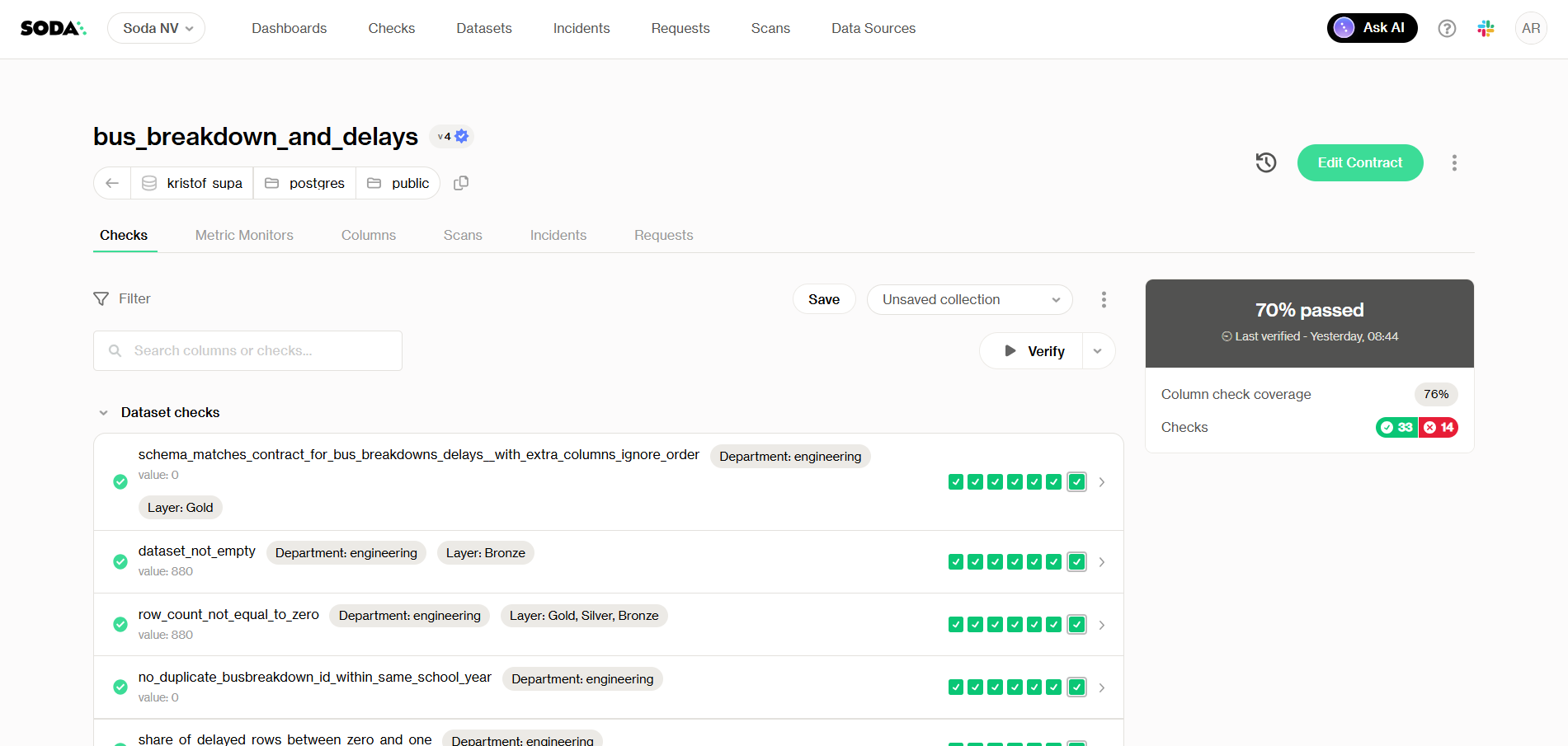
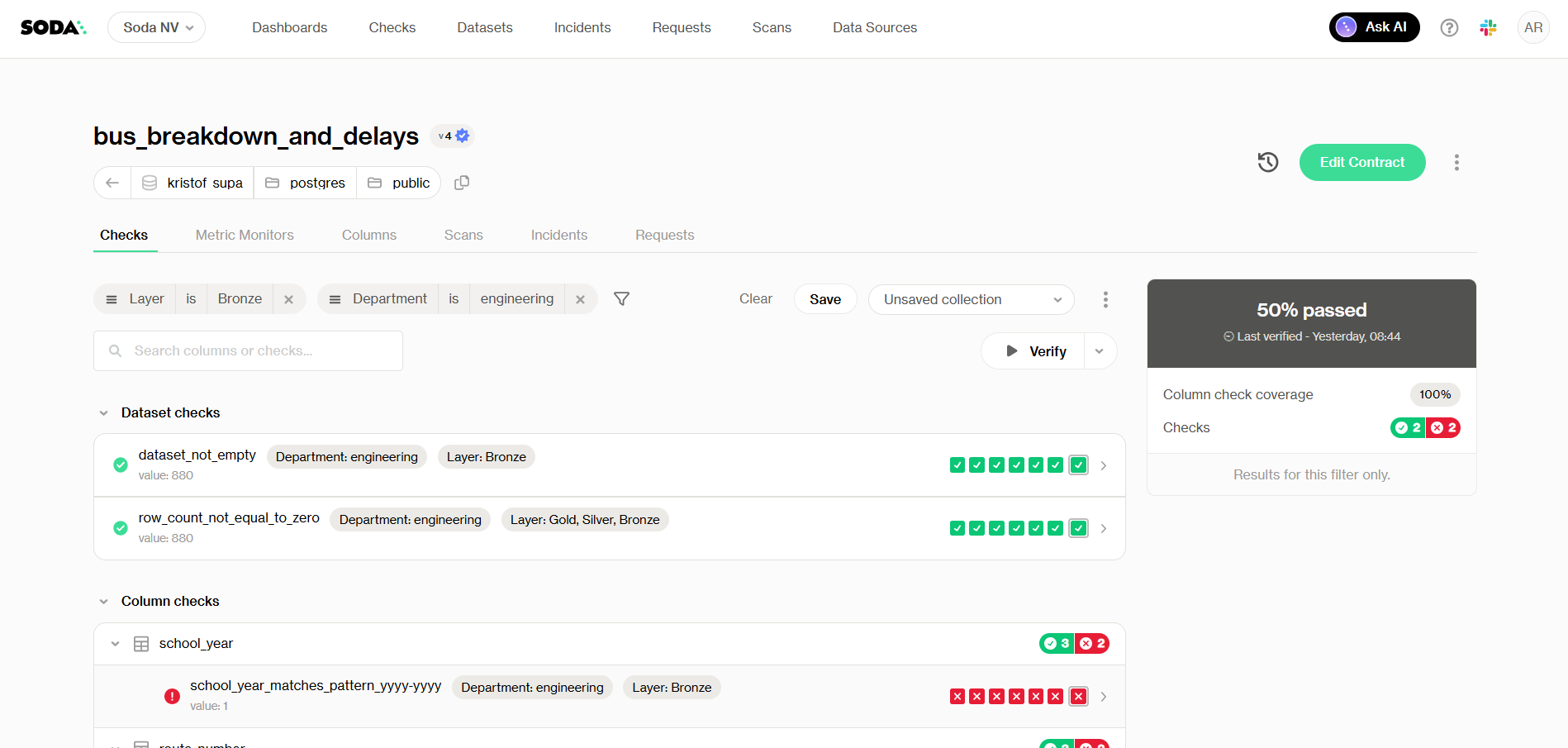
**The health score panel** **updates dynamically** to reflect only the filtered checks, showing you a pass/fail rate for that subset. A **"Results for this filter only"** label confirms the score is scoped to your current filter. You can save collections to track their progress. Note how, in the following example, the health score drops from 70% to 50% when checks are filtered by attribute:
{% columns fullWidth="true" %}
{% column %}
Checks tab with no checks filter - Health score at 70%
{% endcolumn %}
{% column %}
Checks tab with checks filters - Health score at 50%
{% endcolumn %}
{% endcolumns %}
To apply a filter from the **Checks** tab:
{% stepper %}
{% step %}
Click the :filter: filter icon
{% endstep %}
{% step %}
Select a field from the dropdown and choose a value to filter by
You can combine multiple filters to narrow the scope further.
{% endstep %}
{% step %}
Click **Save** to save a filter as a collection
{% endstep %}
{% endstepper %}
{% hint style="info" %}
Checks that have never been evaluated are excluded from filtered results and do not count toward the filtered health score.
{% endhint %}
### Review checks by scope
{% hint style="info" %}
Contract scopes are currently available in [**private preview**](/soda-documentation/reference/documentation-access-and-licensing/release-stages.md#private-preview). Contact to enable them.
{% endhint %}
If the dataset's contract has scopes, a row of pills above the checks lets you show **All checks**, the checks **Without scope**, one scope, or the **Data Standards** checks. The check tree, the summary and the **Verify** button follow the selected pill, and on **All checks** each check row shows whether it comes from the checks without a scope, a scope or a Data Standard. The filter pane also offers a **Scope** filter.
> Learn more in [Contract scopes](/soda-documentation/data-testing/cloud-managed-data-contracts/contract-scopes.md).
## Metric Monitors tab
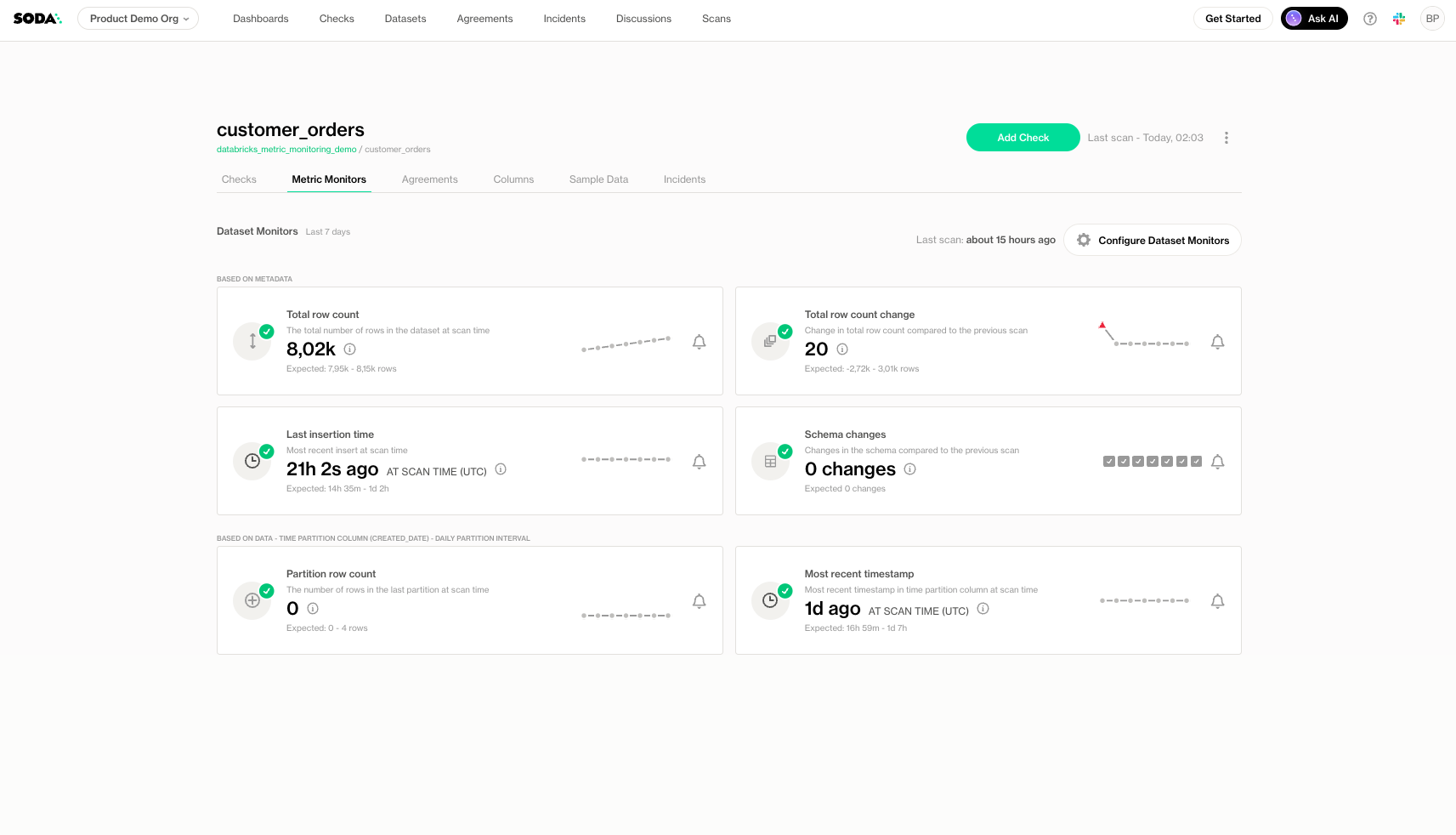
The **Metric Monitors** tab shows the **metrics that are actively monitored for the dataset**, helping you track trends and detect anomalies over time.
> Learn more about the [Metric monitoring](/soda-documentation/data-observability/metric-monitoring-dashboard.md).
## Columns tab - Profiling
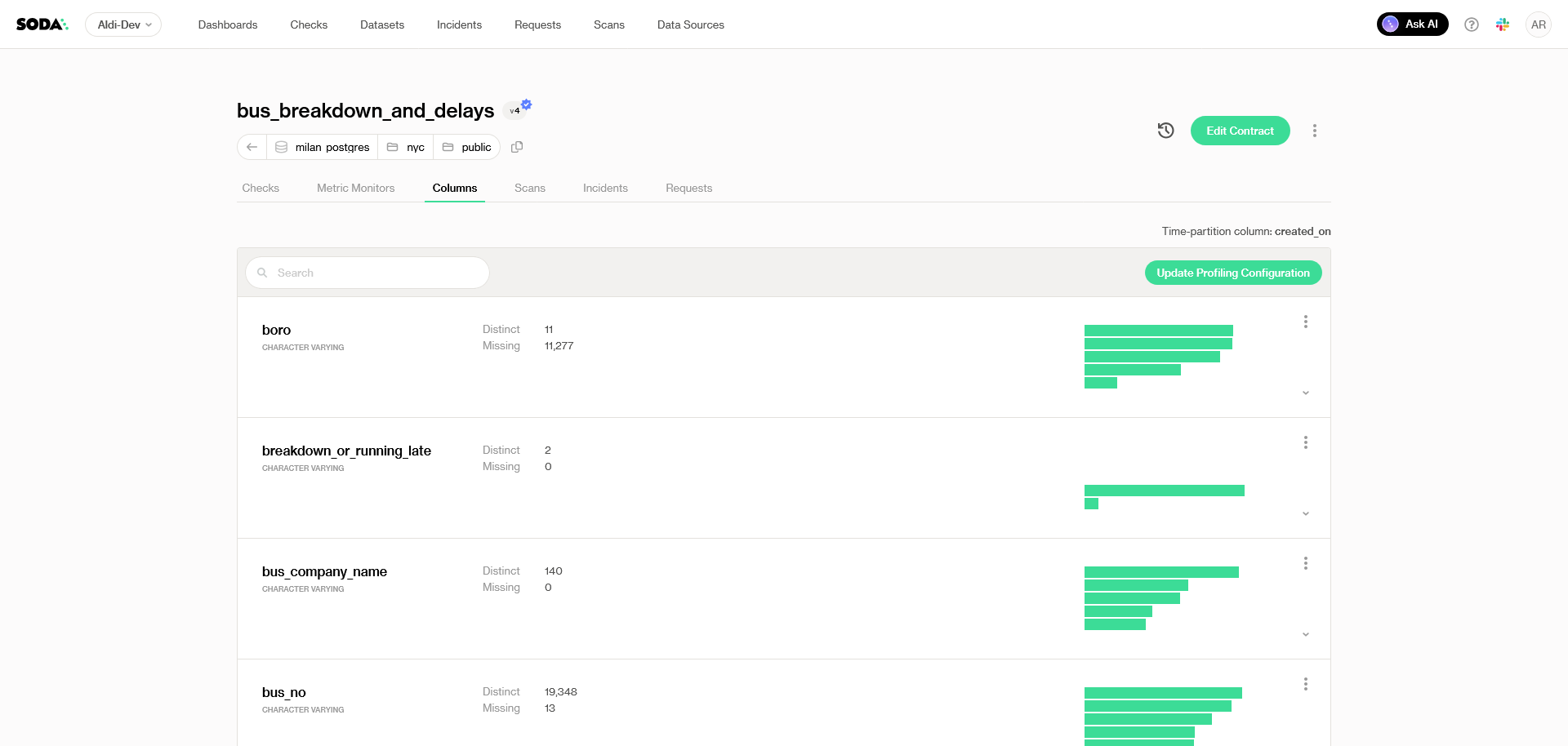
The **Columns** tab provides an **overview of the dataset’s structure**, including column names, data types, distinct counts, and other statistics. You can search for a specific column by name to quickly locate and review its profiling details.
## Scans tab
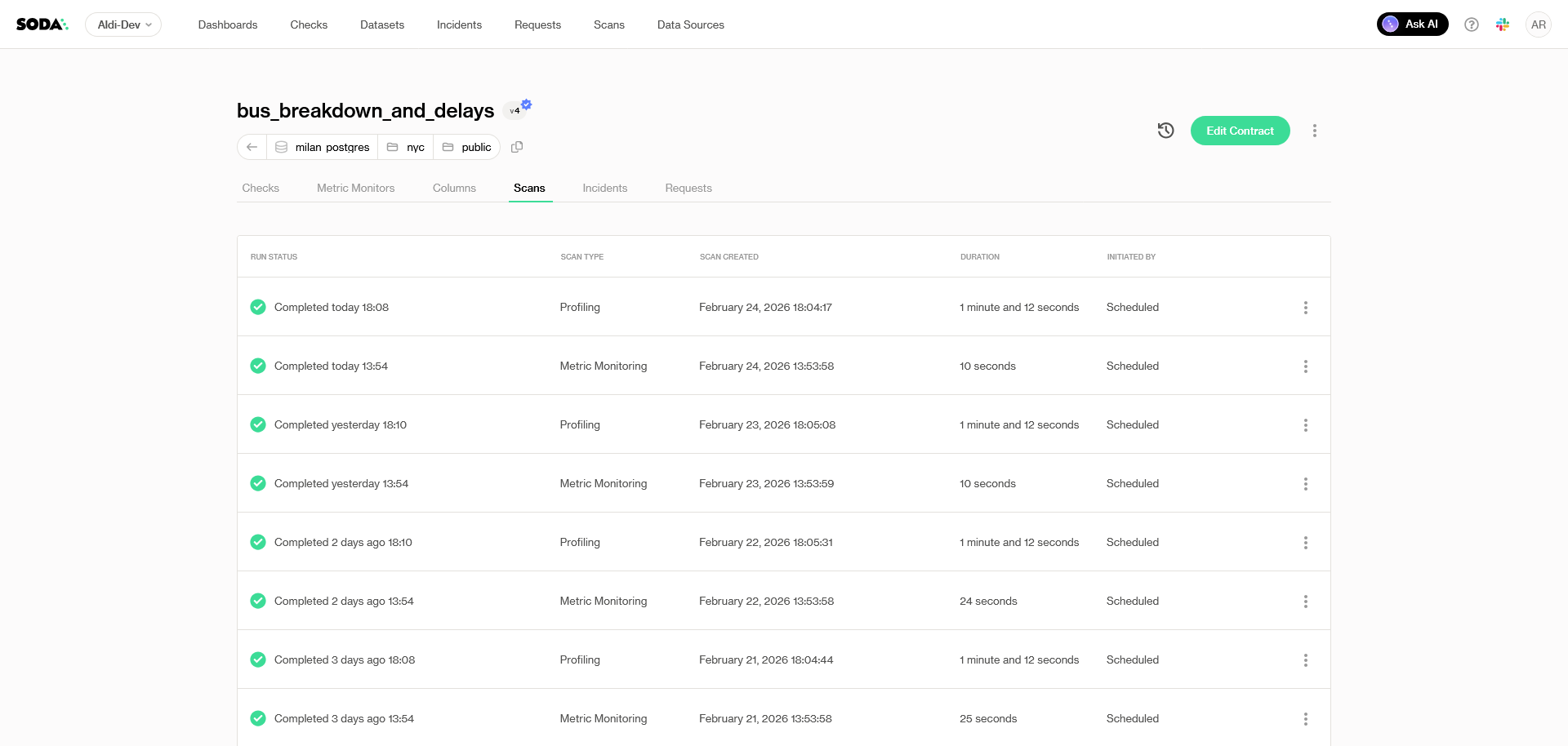
The **Scans** tab lists **all scans that have been executed for the dataset**. This gives you a dataset-level view of **what has been scanned**, **why it was scanned**, and **what the outcome was**.
Typical scan types include:
* **Contract verification** scans to validate that the dataset matches the expectations defined in its contract.
* **Metric monitoring** scans that compute and track dataset metrics over time.
* **Profiling** scans to generate profiling results for the dataset (such as statistics and distribution insights).
From the Scans tab, you can:
* **Review the list of all scans** related to the dataset.
* **Open a specific scan** to inspect its details and results.
* **Access the scan execution logs** to support troubleshooting and root-cause analysis.
## Incidents tab
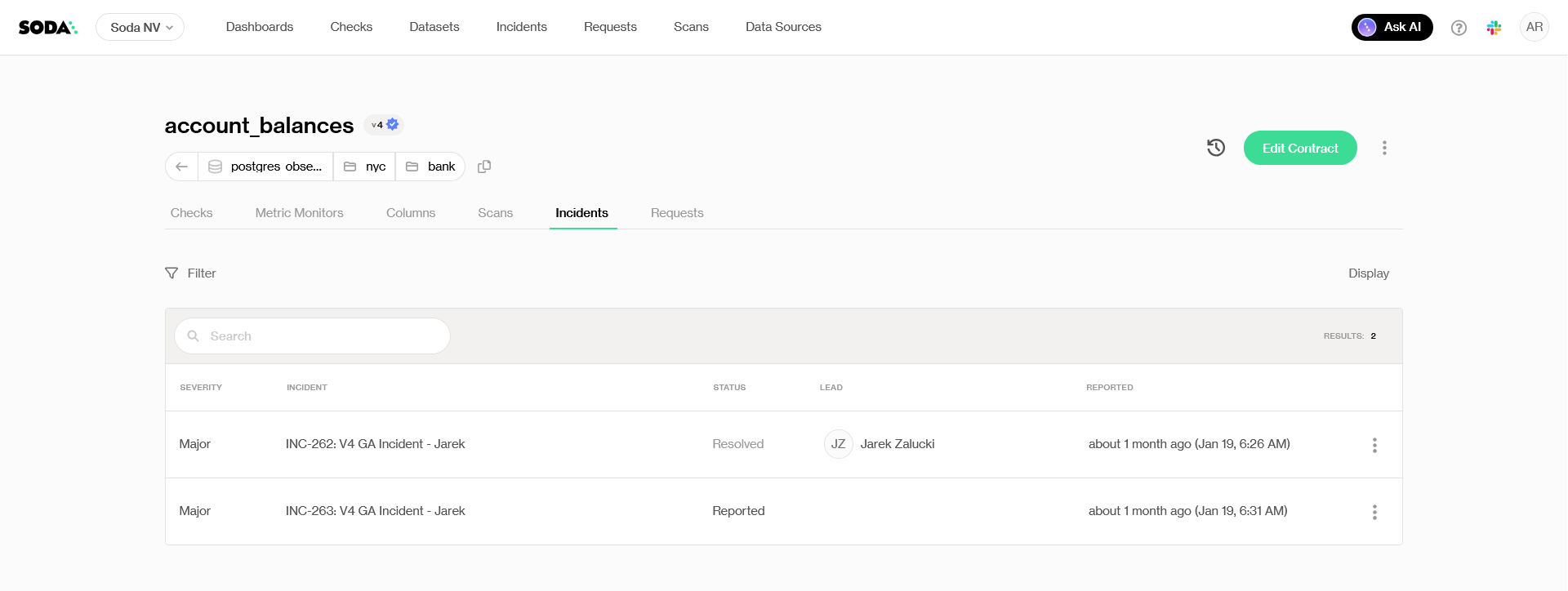
The **Incidents** tab lists **incidents related to the dataset**, helping you track issues and collaborate on resolution. This includes incidents that also link checks from other datasets. You can filter incidents based on criteria such as **user lead**, **status**, or **severity** to focus on the most important or urgent cases, and click **Create incident** to open a new incident for one of the dataset's checks.
> Learn more about [incidents](/soda-documentation/manage-issues/incidents.md).
## Requests tab
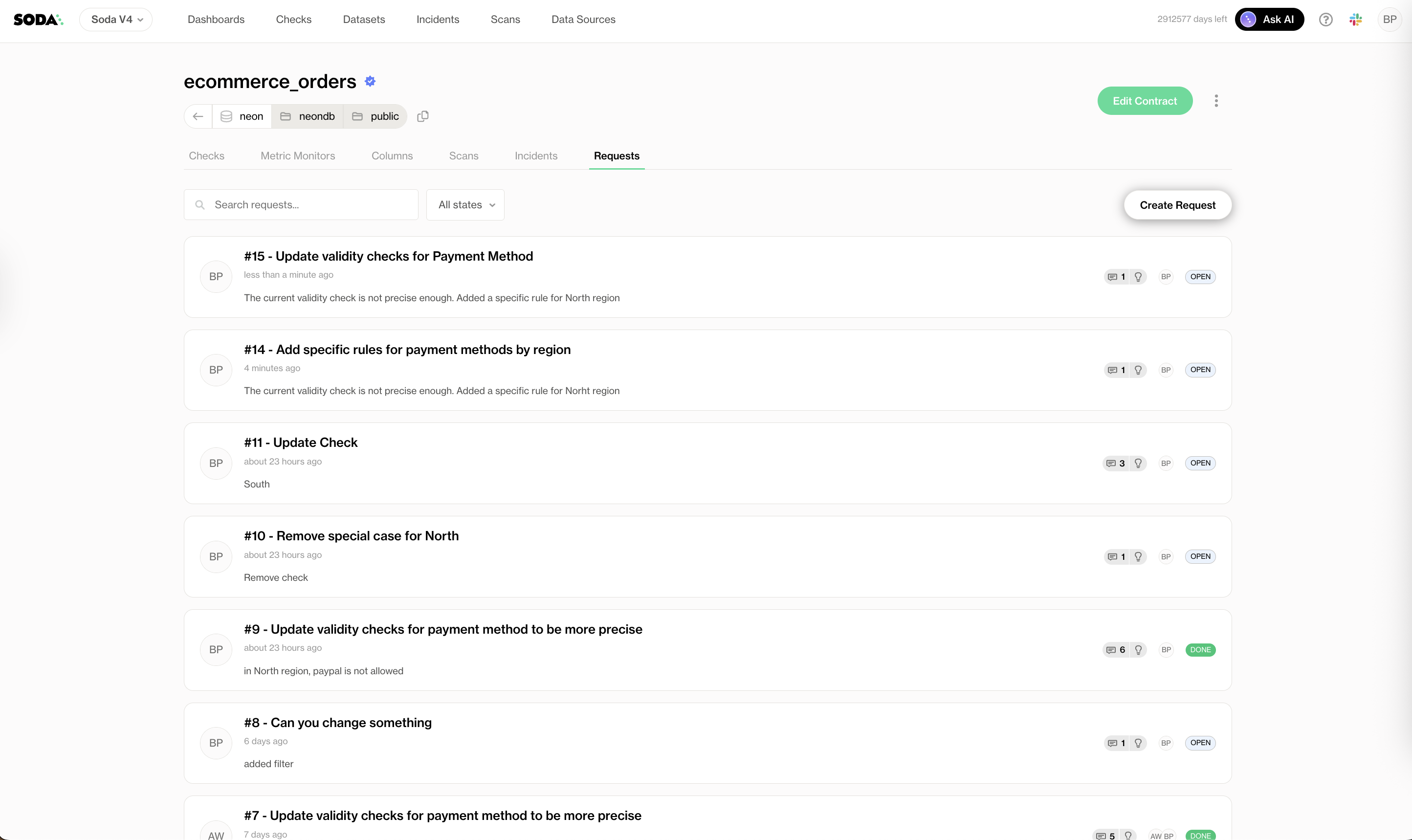
The **Requests** tab displays **all contract change requests associated with the dataset**. It enables dataset owners and data consumers to collaborate on improving the dataset contract over time.
In the **Requests** tab, you can:
* **Browse all requests** for the dataset.
* **Search and filter requests** by status (such as **Open**, **Done**, or **Won’t Do**).
* **Open a request** to review and collaborate via:
* Messages and comments between participants
* Proposals showing suggested contract changes (including added/modified/removed elements)
This workflow supports structured **contract collaboration** where consumers can propose changes directly, and dataset owners remain the final decision-makers for publishing updates.
***
{% hint style="info" %}
You are **not logged in to Soda** and are viewing the default public documentation. Learn more about [Licensing & documentation access](/soda-documentation/reference/documentation-access-and-licensing.md).
{% endhint %}
---
# Agent Instructions
This documentation is published with GitBook. GitBook is the documentation platform designed so that both humans and AI agents can read, navigate, and reason over technical content effectively. Learn more at gitbook.com.
## Querying This Documentation
If you need additional information that is not directly available in this page, you can query the documentation by asking a question.
Perform an HTTP GET request on the following URL with the `ask` and `goal` query parameters:
```
GET https://docs.soda.io/soda-documentation/manage-issues/dataset-page.md?ask=&goal=
```
`ask` is the immediate question: it should be specific, self-contained, and written in natural language.
`goal` is what the user is ultimately trying to achieve, the reason they need the answer. Sharing it helps GitBook give you a better, more relevant answer. A goal is most helpful when it describes the outcome the user wants rather than restating the question. For example, with `ask=how do I create an API token`, a goal like `automate deployments from our CI pipeline` lets GitBook tailor the answer to that use case.
The response will contain a direct answer to the question and relevant excerpts and sources from the documentation.
Use this mechanism when the answer is not explicitly present in the current page, you need clarification or additional context, or you want to retrieve related documentation sections.