> For the complete documentation index, see [llms.txt](https://docs.soda.io/llms.txt). Markdown versions of documentation pages are available by appending `.md` to page URLs; this page is available as [Markdown](https://docs.soda.io/soda-documentation/column-attributes.md).
# Column Attributes
Column attributes let you attach descriptive **metadata to individual columns** of a dataset, in the same way that [dataset attributes](/soda-documentation/dataset-attributes-and-responsibilities.md#dataset-attributes) describe whole datasets and check attributes describe checks.
Use column attributes to capture column-level business context such as **sensitivity** (e.g. PII, confidential), **data domain**, **classification**, or **ownership**. Once set, column attributes can be:
* **Viewed** on the dataset's column cards and in the column information panel.
* **Set programmatically** through the Soda Cloud REST API, to keep Soda in sync with a data catalog or governance tool.
* **Used in Data Standards** to target columns by their attribute values instead of (or in addition to) their names. See [#use-column-attributes-in-data-standards](#use-column-attributes-in-data-standards "mention").
{% hint style="info" %}
Column attributes are part of **Data Standards** and are only available when Data Standards is enabled for your organization. If you do not see the options described below, Data Standards is not enabled on your plan.
{% endhint %}
## Defining a column attribute
Column attributes use the same attribute catalog as datasets and checks. Before you can set a value on a column, an attribute with the **Column** resource type must exist.
> Learn how to create one: [Check and dataset attributes](/soda-documentation/manage-issues/check-and-dataset-attributes.md). When creating the attribute, select **Column** as the **Resource Type**.
## Setting column attribute values
{% hint style="warning" %}
Only users with the **Configure Dataset** permission on the dataset can edit column attributes. [Global and Dataset Roles](/soda-documentation/organization-and-admin-settings/global-and-dataset-roles.md)
{% endhint %}
You set values per column from the dataset page.
{% stepper %}
{% step %}
Open the **dataset page** and locate the column you want to annotate in the **Columns** list.
{% endstep %}
{% step %}
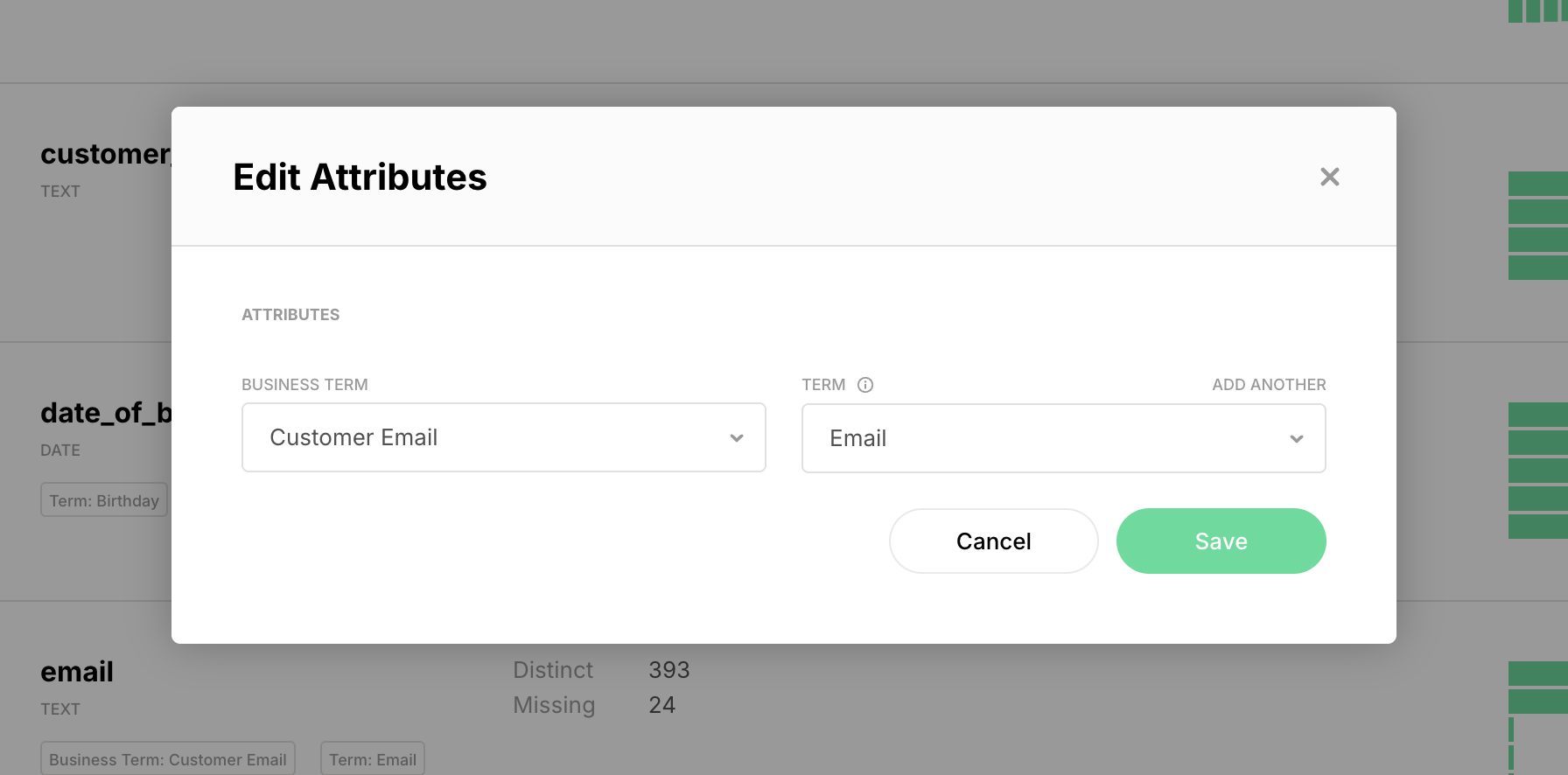
Open the column's **context menu** (⋮) and select **Edit Attributes**.
{% endstep %}
{% step %}
In the **Edit Attributes** dialog, set a value for each column attribute. All attributes are optional, and the available input depends on the attribute type (single select, multi select, checkbox, text, number, or date).
{% endstep %}
{% step %}
Click **Save** to apply the changes.
{% endstep %}
{% endstepper %}
## Viewing column attributes
Once set, a column's attribute values appear:
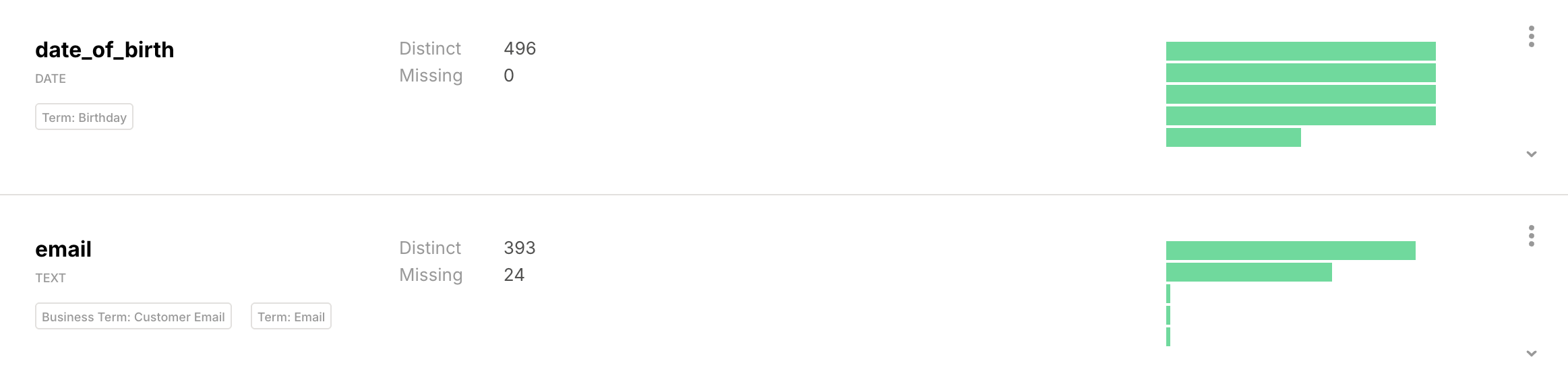
* As **tags** on the column card, next to the column's data type.
* In the **Custom Column Attributes** section of the column information panel.
Column attribute values appear as tags on each column card.
## Set column attributes via the REST API
You can set or update column attribute values in bulk with the Soda Cloud REST API, which is the recommended way to keep column metadata in sync with an external data catalog or governance tool.
Use the `POST /api/v1/datasets/{datasetId}/columnAttributes` endpoint. The request body maps each column name to a map of attribute name → value. Setting one attribute on a column leaves the column's other attribute values untouched. If any column name, attribute name, or value type is invalid, the **entire request is rejected** and no changes are persisted.
The caller must have the **Configure Dataset** (`CONFIGURE_DATASET`) permission on the dataset.
> See the full request and response schema in the auto-generated API reference: [Broken mention](broken://pages/qOmWPvixdxBUojZ2sOEb).
## Use column attributes in Data Standards
Column attributes can drive **Data Standards**: a standard's `match` block can target columns by their attribute values (`equals`, `any_of`, grouped with `all_of` / `any_of`, and `exclude`) instead of, or in addition to, their names. This lets a single standard apply, for example, to every column tagged with a given sensitivity.
> The full Data Standards `match` syntax is documented with Data Standards.
***
{% hint style="info" %}
You are **not logged in to Soda** and are viewing the default public documentation. Learn more about [Licensing & documentation access](/soda-documentation/reference/documentation-access-and-licensing.md).
{% endhint %}
---
# Agent Instructions
This documentation is published with GitBook. GitBook is the documentation platform designed so that both humans and AI agents can read, navigate, and reason over technical content effectively. Learn more at gitbook.com.
## Querying This Documentation
If you need additional information that is not directly available in this page, you can query the documentation by asking a question.
Perform an HTTP GET request on the following URL with the `ask` and `goal` query parameters:
```
GET https://docs.soda.io/soda-documentation/column-attributes.md?ask=&goal=
```
`ask` is the immediate question: it should be specific, self-contained, and written in natural language.
`goal` is what the user is ultimately trying to achieve, the reason they need the answer. Sharing it helps GitBook give you a better, more relevant answer. A goal is most helpful when it describes the outcome the user wants rather than restating the question. For example, with `ask=how do I create an API token`, a goal like `automate deployments from our CI pipeline` lets GitBook tailor the answer to that use case.
The response will contain a direct answer to the question and relevant excerpts and sources from the documentation.
Use this mechanism when the answer is not explicitly present in the current page, you need clarification or additional context, or you want to retrieve related documentation sections.