> For the complete documentation index, see [llms.txt](https://docs.soda.io/llms.txt). Markdown versions of documentation pages are available by appending `.md` to page URLs; this page is available as [Markdown](https://docs.soda.io/organization-and-admin-settings/service-accounts.md).
# Service accounts
Learn how to create and manage service accounts in Soda Cloud to authenticate automated pipelines and API integrations without tying credentials to individual users.
{% hint style="warning" %}
This feature requires the **Manage organization settings** permission. Learn more about permissions here: [Dataset Attributes & Responsibilities](/dataset-attributes-and-responsibilities.md)
{% endhint %}
Service accounts are organization-bound identities designed for automated pipelines and API integrations. Unlike regular users, they authenticate exclusively via API key. They have no email/password login and are not tied to any individual's SSO credentials.
Use service accounts when you want API keys that are independent of any individual user, for example in CI/CD pipelines, scheduled scans, or data engineering workflows.
| A service account can... | A service account cannot |
| ------------------------------------------------------------------------------------------------- | --------------------------------------------------------------------------------------- |
| :check: Run `soda-core` scans (results attributed to the service account) | :x: Log in to the Soda Cloud UI |
| :check: Call the Soda Cloud REST API | :x: Participate in agreements, discussions, or incidents via the UI |
| :check: Be assigned to datasets and user groups | |
| :check: Receive notifications | |
| :check: Create and verify data contracts from a pipeline | |
| :check: Log incident activity via API | |
| :check: Be used as runners (feature available in preview) | |
## Create a service account
{% stepper %}
{% step %}
#### Navigate to Service Accounts
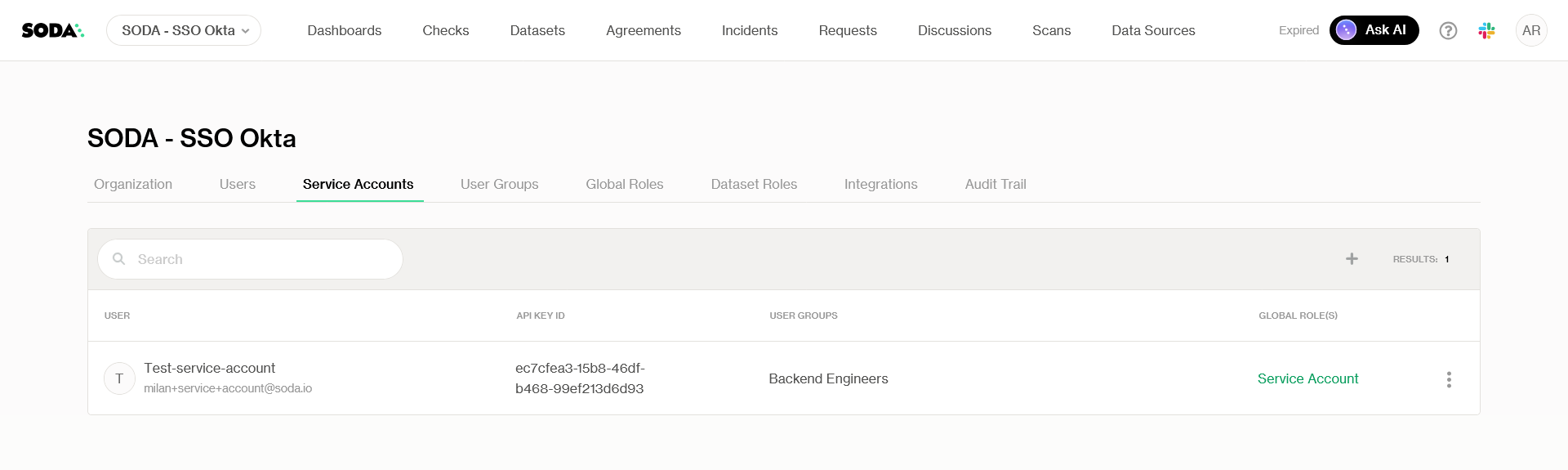
Click on your avatar > **Organization Settings** > **Service Accounts** tab
{% endstep %}
{% step %}
#### Create a new service account
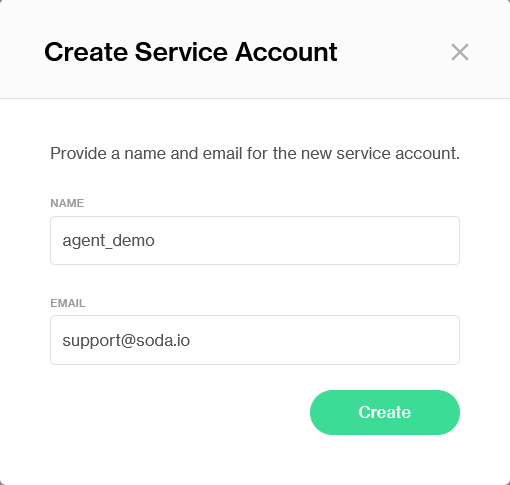
Click on :plus: (top right) to create a new service account.
Enter a name and a unique email address for the service account, then confirm.
{% hint style="info" %}
A unique email is required but it does not represent a real login.
{% endhint %}
{% endstep %}
{% step %}
#### Store the API key
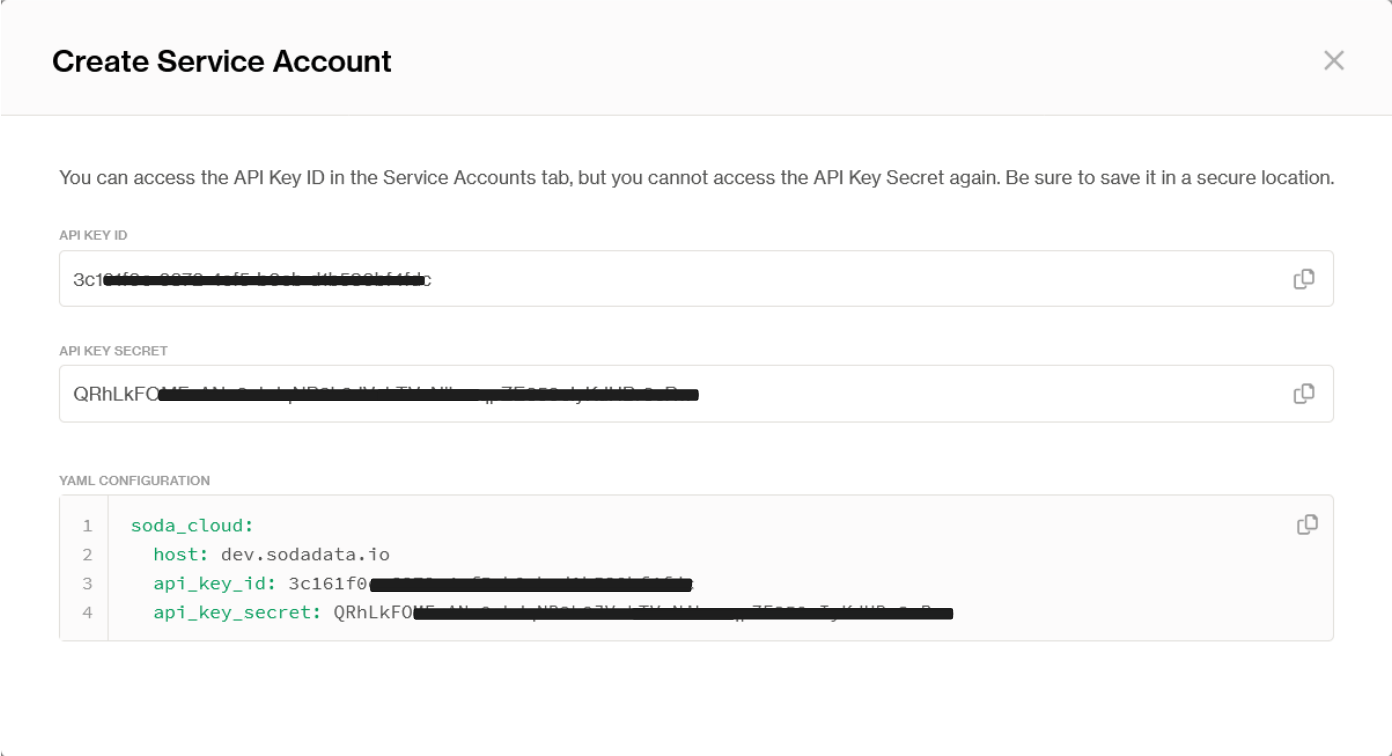
Copy the API key that is displayed. **This is the only time the key is shown**. It cannot be retrieved after you navigate away.
Use the API key ID and secret as credentials wherever you would normally configure Soda API keys, for example in `soda-core` scan configurations or REST API calls.
{% endstep %}
{% endstepper %}
### Deactivate a service account
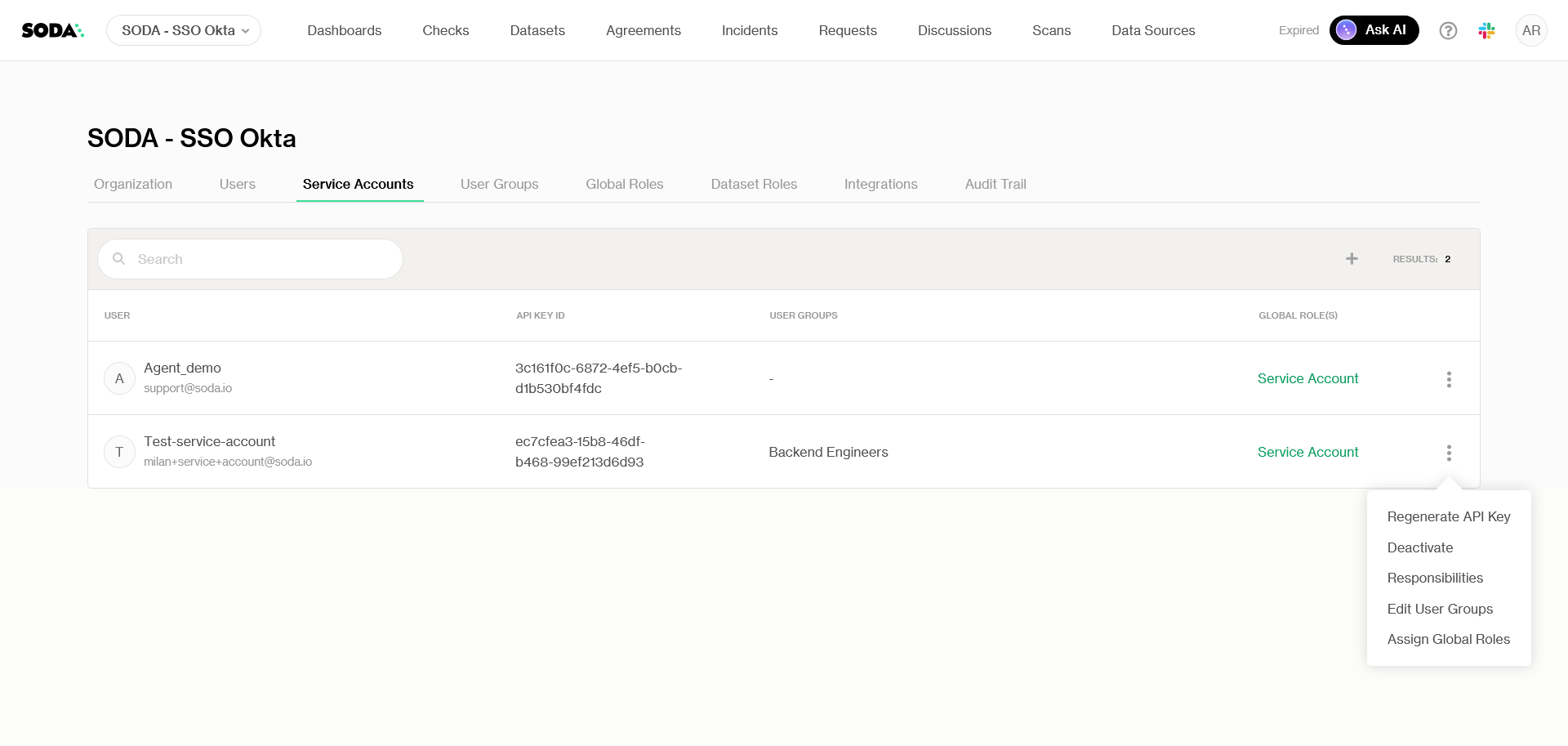
In the **Service Accounts** tab, open the context menu for the account and select **Deactivate**. The API key is immediately invalidated.
{% hint style="info" %}
**Note:** Service accounts cannot be deleted by design. They are only deactivated until activated again.
{% endhint %}
***
## Default permissions
New service accounts are automatically assigned a default role configured under **Organization Settings > Global Roles > Responsibilities**. This default role excludes UI-bound permissions that don't apply to non-human accounts.
You can also:
* Add a service account to a **user group** to inherit that group's dataset permissions.
* Assign a service account a direct **dataset role** via the dataset's Edit Responsibilities panel.
When both a group-inherited and a direct dataset role exist, the higher permission takes precedence.
{% hint style="info" %}
Bound runners appear on the Service Accounts page once connected.
{% endhint %}
***
{% hint style="info" %}
You are **not logged in to Soda** and are viewing the default public documentation. Learn more about [Licensing & documentation access](/reference/documentation-access-and-licensing.md).
If you do have a Soda license, make sure to **log in to Soda Cloud in this same browser**.
{% endhint %}
---
# Agent Instructions
This documentation is published with GitBook. GitBook is the documentation platform designed so that both humans and AI agents can read, navigate, and reason over technical content effectively. Learn more at gitbook.com.
## Querying This Documentation
If you need additional information that is not directly available in this page, you can query the documentation dynamically by asking a question.
Perform an HTTP GET request on the current page URL with the `ask` query parameter, and the optional `goal` query parameter:
```
GET https://docs.soda.io/organization-and-admin-settings/service-accounts.md?ask=&goal=
```
`ask` is the immediate question: it should be specific, self-contained, and written in natural language.
`goal` is optional and describes the broader end goal you are ultimately trying to accomplish on behalf of the user. GitBook uses it to tailor the answer towards what is most useful for that goal.
The response will contain a direct answer to the question and relevant excerpts and sources from the documentation.
Use this mechanism when the answer is not explicitly present in the current page, you need clarification or additional context, or you want to retrieve related documentation sections.