> For the complete documentation index, see [llms.txt](https://docs.soda.io/llms.txt). Markdown versions of documentation pages are available by appending `.md` to page URLs; this page is available as [Markdown](https://docs.soda.io/soda-documentation/dataset-attributes-and-responsibilities.md).
# Dataset Attributes & Responsibilities
Dataset settings allow you to define key metadata, ownership, and business context for your datasets. This information helps ensure data governance, accountability, and seamless integration with other tools like your data catalog.
## Dataset Owner
#### Purpose of the Dataset Owner
Each dataset should have a designated **dataset owner**: a person or team responsible for the dataset's quality, availability and usage.
**Typically, the role of a Dataset Owner includes:**
* Defining and maintaining the dataset's purpose and documentation.
* Ensuring the dataset meets data quality standards and contract requirements.
* Responding to issues, such as failed checks or data quality alerts.
* Reviewing and approving changes to the dataset schema or contract.
#### Updating the Dataset Owner
{% hint style="warning" %}
Only users with the **Configure Dataset** permission on the dataset can update the dataset owners. [Global and Dataset Roles](https://docs.soda.io/soda-v4/organization-and-admin-settings/global-and-dataset-roles)
{% endhint %}
To assign a **Dataset Owner**:
{% stepper %}
{% step %}
Open the **dataset page**.
{% endstep %}
{% step %}
Click the **context menu** (⋮) in the top-right corner and select **Edit Dataset**.
{% endstep %}
{% step %}
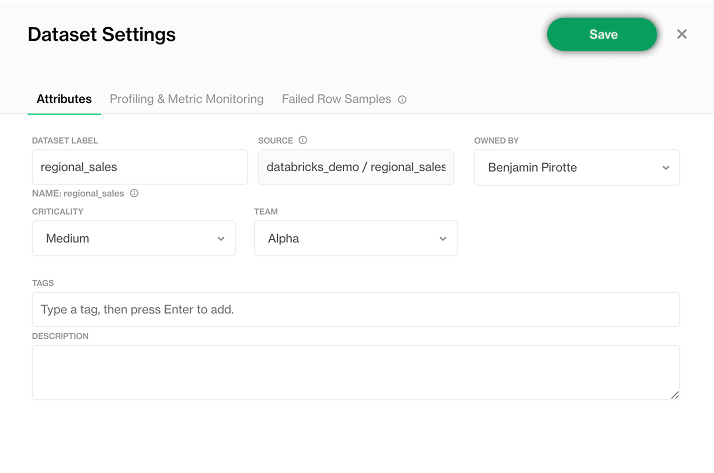
In the **Owned by** section, select one or more users and/or user groups.
{% endstep %}
{% step %}
Fill in the optional information and click **Save** (top right) to apply the changes.
{% endstep %}
{% endstepper %}
## Responsibilities
#### What are Responsibilities?
**Responsibilities** allow you to assign permissions to users or user groups, ensuring they have the access they need to work with a dataset.
A **Responsibility** is a combination of:
* A **User** or **User Group**.
* A **Dataset Role**, which is a predefined collection of permissions (such as the ability to edit contracts, view checks, or manage settings).
By assigning Responsibilities, you define **who can do what** for each dataset, supporting clear ownership, governance, and collaboration.
> Learn about defining custom roles: [Global and Dataset Roles](/soda-documentation/organization-and-admin-settings/global-and-dataset-roles.md).
#### How to Add Responsibilities
Managing responsibilities requires the following dataset role: "Manage dataset responsibilities"
To assign a Responsibility to a user or group:
{% stepper %}
{% step %}
Open the **dataset page**.
{% endstep %}
{% step %}
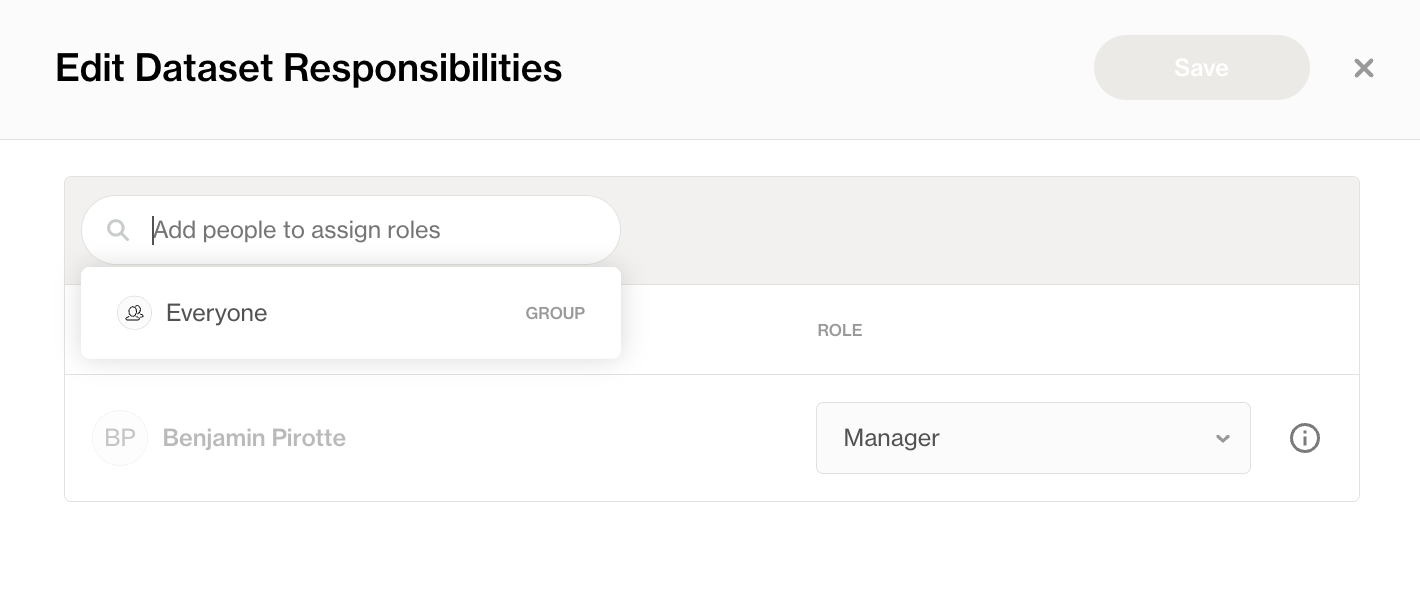
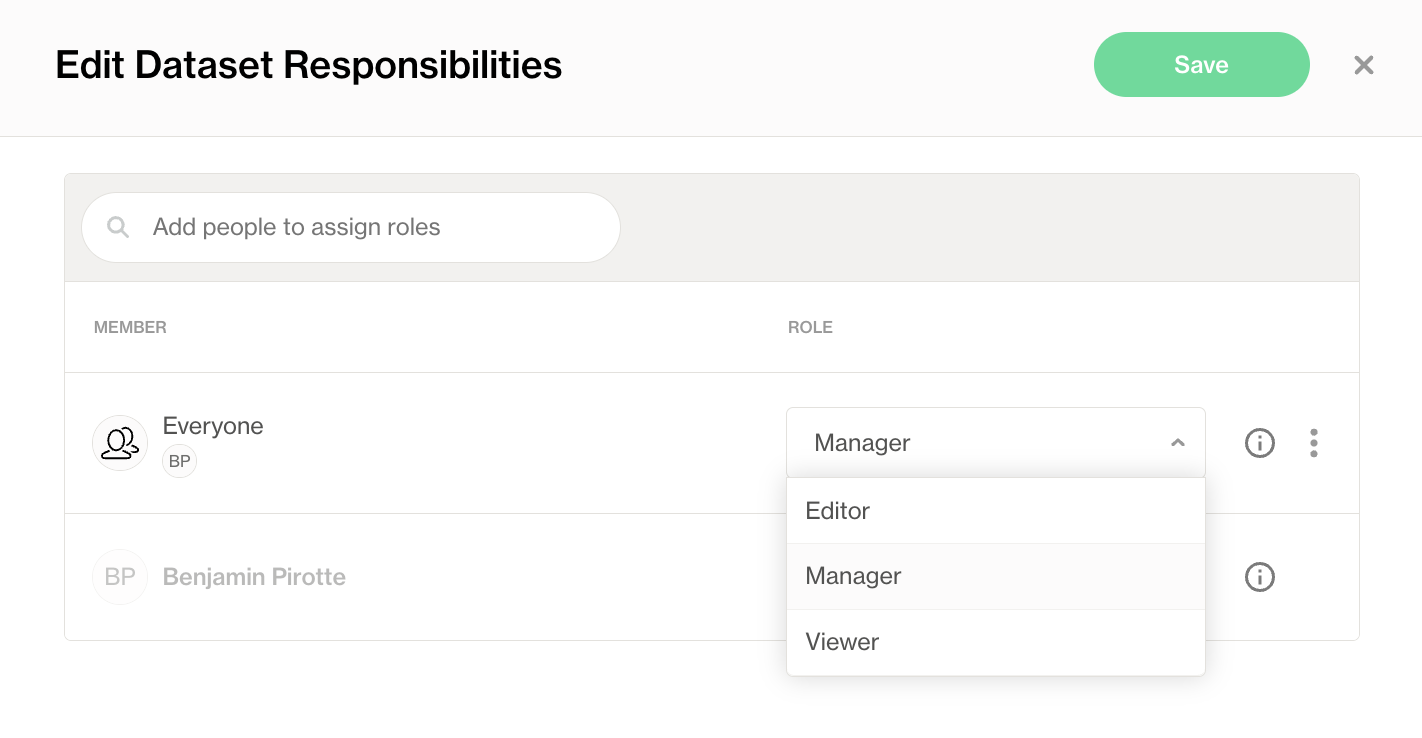
Click the **context menu** (⋮) in the top-right corner and select **Edit Responsibilities**.
{% endstep %}
{% step %}
Add the desired **users** or **user groups**.
{% endstep %}
{% step %}
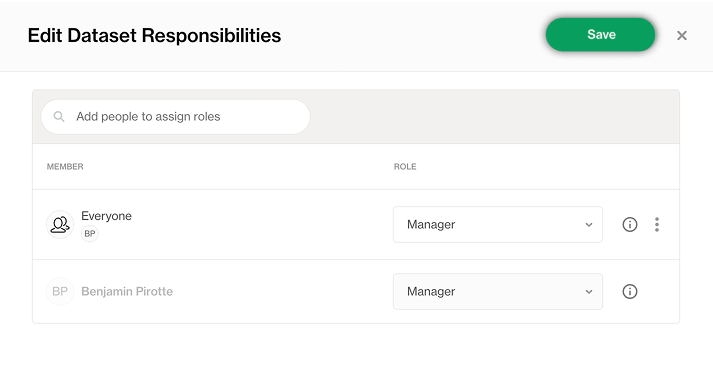
Select the appropriate **Dataset Role** for each.
{% endstep %}
{% step %}
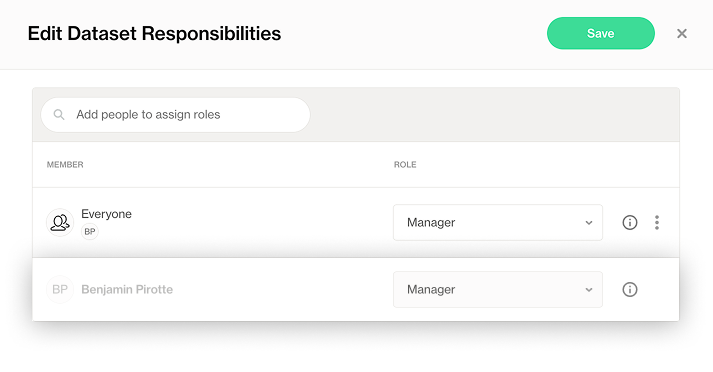
Click **Save** to apply the changes.
{% endstep %}
{% endstepper %}
### Default Dataset Owner role
Every dataset has a **default Dataset Owner role**, automatically assigned to the designated Dataset Owner(s).
* This role provides essential permissions to manage and maintain the dataset.
* The Dataset Owner role **cannot be removed**, but it can be combined with other roles for additional permissions.
{% hint style="info" %}
The **default permissions** granted to the Dataset Owner role are customizable at the organization level. For more details on configuring the default Dataset Owner role and other roles, see the [Global and Dataset Roles](/soda-documentation/organization-and-admin-settings/global-and-dataset-roles.md#define-default-responsibilities)
{% endhint %}
## Data source responsibilities
Responsibilities can also be assigned at the **data source** level, mapping a user or user group to a **data source role**. A user must have a data source responsibility to see the datasets and checks onboarded from that data source.
{% hint style="warning" %}
Only users with the **Manage responsibilities** permission on the data source can manage data source responsibilities. [Global and Dataset Roles](https://docs.soda.io/soda-v4/organization-and-admin-settings/global-and-dataset-roles)
{% endhint %}
To assign a responsibility on a data source:
{% stepper %}
{% step %}
Open the **data source page**.
{% endstep %}
{% step %}
Click the **context menu** (⋮) in the top-right corner and select **Edit Responsibilities**.
{% endstep %}
{% step %}
Add the desired **users** or **user groups** and select a **data source role** for each.
{% endstep %}
{% step %}
Click **Save** to apply the changes.
{% endstep %}
{% endstepper %}
## Dataset Attributes
{% hint style="info" %}
Only users with the **Configure Dataset** permission on the dataset can update the attributes. [Global and Dataset Roles](https://docs.soda.io/soda-v4/organization-and-admin-settings/global-and-dataset-roles)
{% endhint %}
#### Purpose of Attributes
Dataset attributes allow you to add descriptive **metadata** to your datasets. This metadata can then be:
* **Used for filtering** in Soda Cloud, making it easier to search and organize datasets and checks based on specific criteria (e.g., business domain, sensitivity, criticality).
* **Leveraged in reporting**, enabling you to group datasets, track ownership, and monitor data quality across different categories or dimensions.
Adding meaningful attributes enhances discoverability, governance, and collaboration within Soda and its integrations.
Learn how to define attribute types: [Check and dataset attributes](/soda-documentation/manage-issues/check-and-dataset-attributes.md)
#### Adding Dataset Attributes
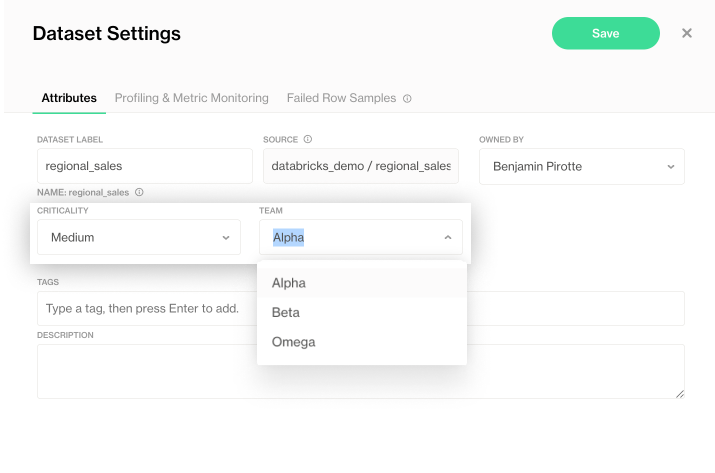
You can add or modify dataset attributes in the Dataset Settings page:
{% stepper %}
{% step %}
Click the **context menu** (⋮) in the top-right corner and select **Edit Dataset**.
{% endstep %}
{% step %}
Set a value for the existing attribute type. They are all optional.
{% endstep %}
{% step %}
**Save** your changes.
{% endstep %}
{% endstepper %}
## Bulk edit of Attributes and Responsibilities
When managing multiple datasets, you can save time by applying changes in bulk using the **Bulk Edit** feature.
#### How to bulk edit Datasets
{% stepper %}
{% step %}
Go to the **Datasets** page.
{% endstep %}
{% step %}
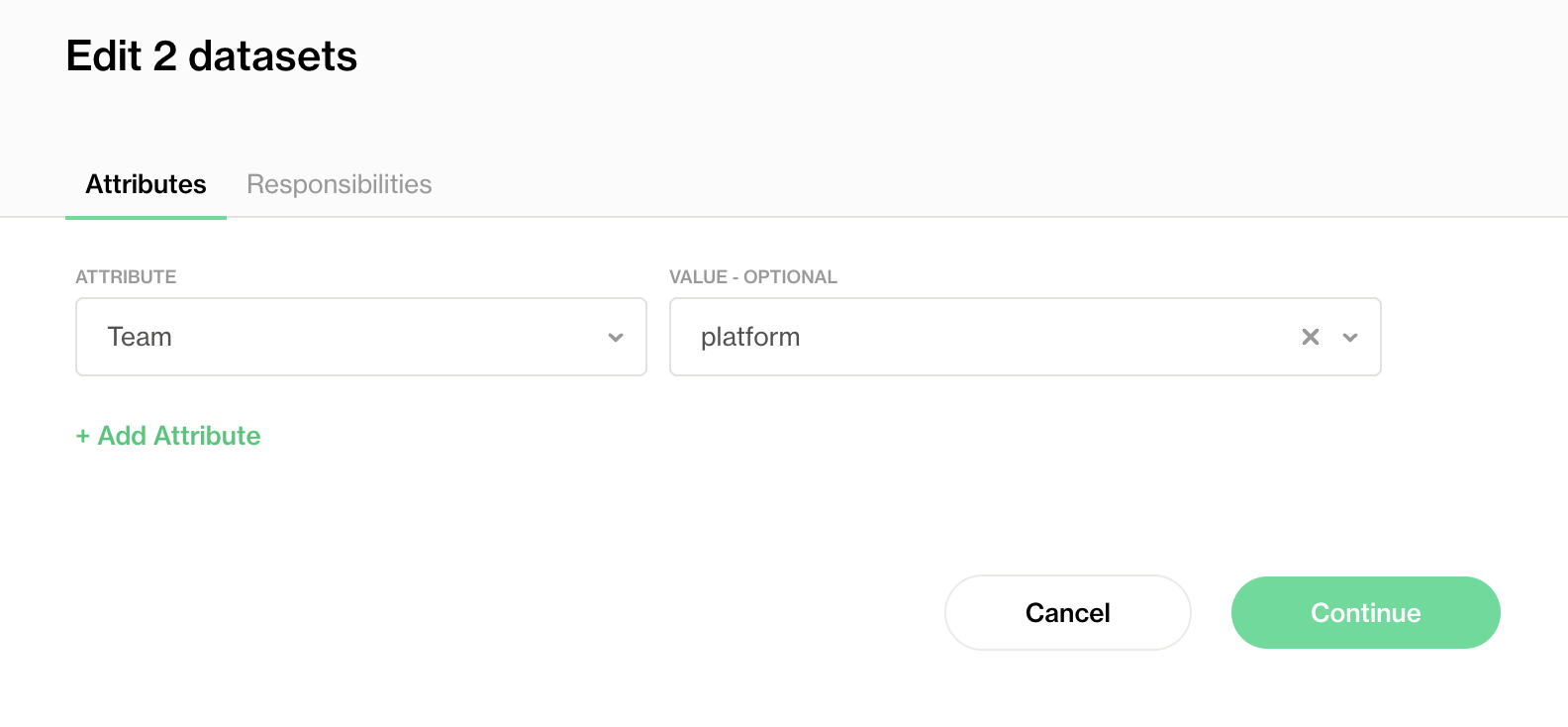
Select the datasets you want to edit using the checkboxes. Click **Edit** in the action menu.
{% endstep %}
{% step %}
Define attributes you want to add or modify across the selected datasets.
{% endstep %}
{% step %}
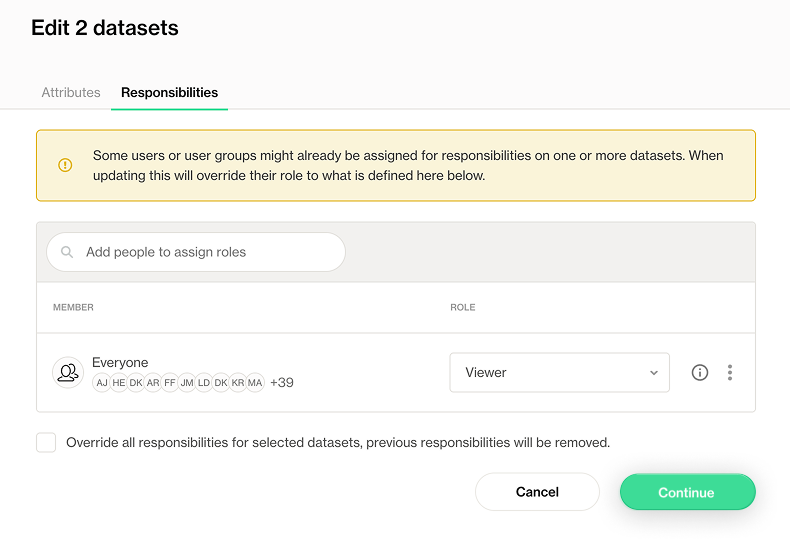
Define responsibilities you want to add or modify across the selected datasets.
Choose whether to **update existing** responsibilities (add new without removing existing) or **reset** (replace all existing responsibilities with the new definition).
{% endstep %}
{% step %}
Click **Continue** to review your changes.
{% endstep %}
{% endstepper %}
## Integrate with data catalog
You can automate the management of **dataset attributes** and **responsibilities** in Soda Cloud using our **REST API**. This allows you to:
* Programmatically **set or update attributes** for multiple datasets.
* Assign **responsibilities** (users, groups, and roles) to datasets at scale.
* Keep your Soda Cloud configuration in sync with your data catalog or external metadata management systems.
This automation ensures that your metadata stays up-to-date and consistent across your ecosystem, supporting seamless governance and discoverability.
***
{% hint style="info" %}
You are **not logged in to Soda** and are viewing the default public documentation. Learn more about [Licensing & documentation access](/soda-documentation/reference/documentation-access-and-licensing.md).
{% endhint %}
---
# Agent Instructions
This documentation is published with GitBook. GitBook is the documentation platform designed so that both humans and AI agents can read, navigate, and reason over technical content effectively. Learn more at gitbook.com.
## Querying This Documentation
If you need additional information that is not directly available in this page, you can query the documentation by asking a question.
Perform an HTTP GET request on the following URL with the `ask` and `goal` query parameters:
```
GET https://docs.soda.io/soda-documentation/dataset-attributes-and-responsibilities.md?ask=&goal=
```
`ask` is the immediate question: it should be specific, self-contained, and written in natural language.
`goal` is what the user is ultimately trying to achieve, the reason they need the answer. Sharing it helps GitBook give you a better, more relevant answer. A goal is most helpful when it describes the outcome the user wants rather than restating the question. For example, with `ask=how do I create an API token`, a goal like `automate deployments from our CI pipeline` lets GitBook tailor the answer to that use case.
The response will contain a direct answer to the question and relevant excerpts and sources from the documentation.
Use this mechanism when the answer is not explicitly present in the current page, you need clarification or additional context, or you want to retrieve related documentation sections.