> For the complete documentation index, see [llms.txt](https://docs.soda.io/llms.txt). Markdown versions of documentation pages are available by appending `.md` to page URLs; this page is available as [Markdown](https://docs.soda.io/data-observability/metric-monitoring-dashboard/dataset-monitors/metadata-based.md).

# Based on metadata

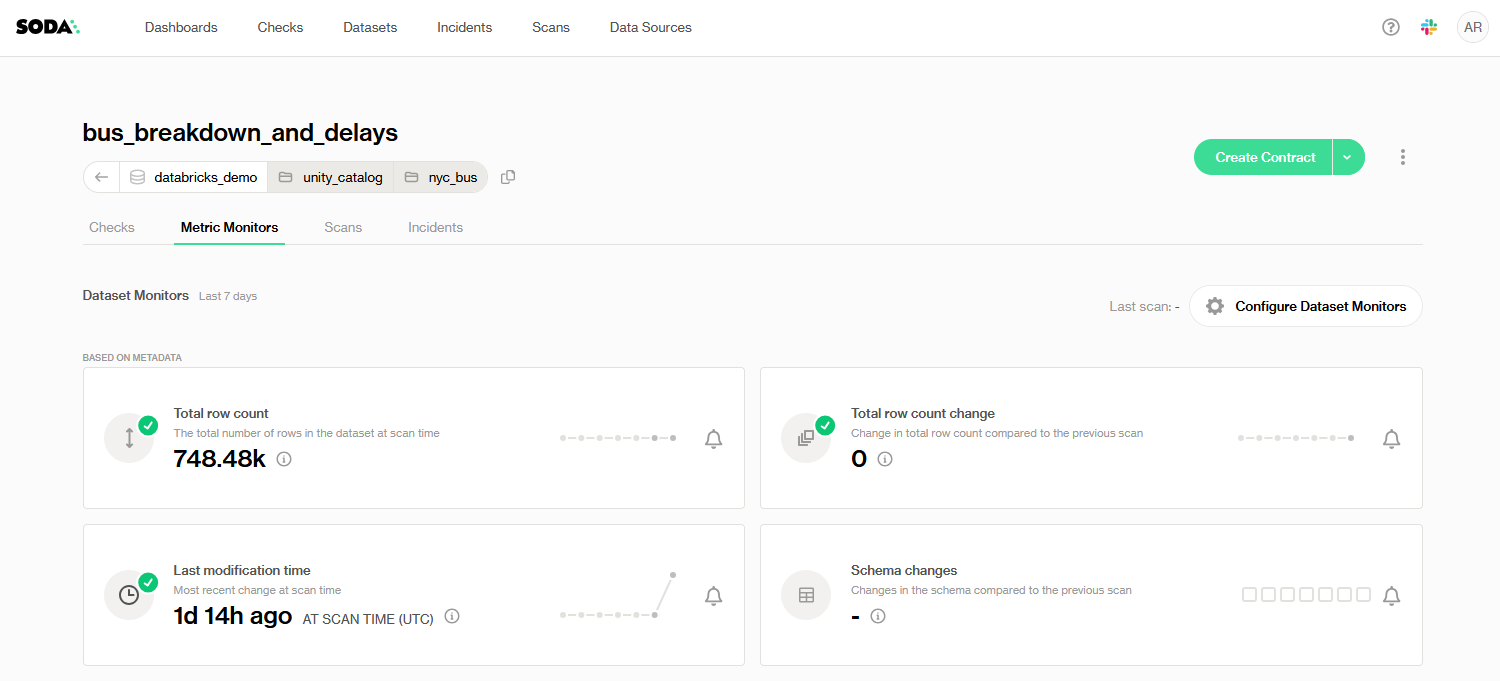
These monitors are derived directly from the data platform’s system metadata, without scanning row-level values. They surface structural signals, such as:

* [**Last modification time**](/data-observability/metric-monitoring-dashboard/dataset-monitors/metadata-based/last-modification-time.md): when the dataset was last updated
* [**Schema changes**](/data-observability/metric-monitoring-dashboard/dataset-monitors/metadata-based/schema-changes.md): any alterations to the schema
* [**Total row count**](/data-observability/metric-monitoring-dashboard/dataset-monitors/metadata-based/total-row-count.md): the overall number of records in the dataset
* [**Total row count change**](/data-observability/metric-monitoring-dashboard/dataset-monitors/metadata-based/total-row-count-change.md): the delta in row count compared to the previous observation

Because they read only metadata, these monitors are extremely lightweight to compute and ideal for continuous, real-time dashboarding of dataset activity.

> Learn more about which features are supported in **each** [**metadata data source**](/data-observability/metadata-data-sources.md), such as historical backfilling or partition row count.

## Metric Monitoring on table views

{% hint style="warning" %}
Depending on your data source(s), **metadata-based Metric Monitors may only be supported on Tables**, and not on other data objects e.g. **Views**.

Alternatives could be to setup these metadata-based Metric Monitors on the source Tables of your non-Table data objects, and/or store these data objects as Tables instead.
{% endhint %}

Metric Monitoring on table views is currently available on:

* BigQuery
* Databricks
* Postgres
* Redshift
* Snowflake

{% hint style="info" %}

* **Metric Monitors on table views do not use metadata**; metadata is not provided for views.
* All monitors are supported except [Last modification time](/data-observability/metric-monitoring-dashboard/dataset-monitors/metadata-based/last-modification-time.md).
  * Last modification time must be **turned off manually**; Soda will attempt to enable it automatically as there is no structural difference between tables and table views.
    {% endhint %}

## Unavailable metadata

When Soda Cloud cannot obtain the underlying metadata required to calculate a dataset-level metric, it prevents you from configuring or viewing a metric that would always fail. There are two cases:

### **Non-retrievable metadata from data source**

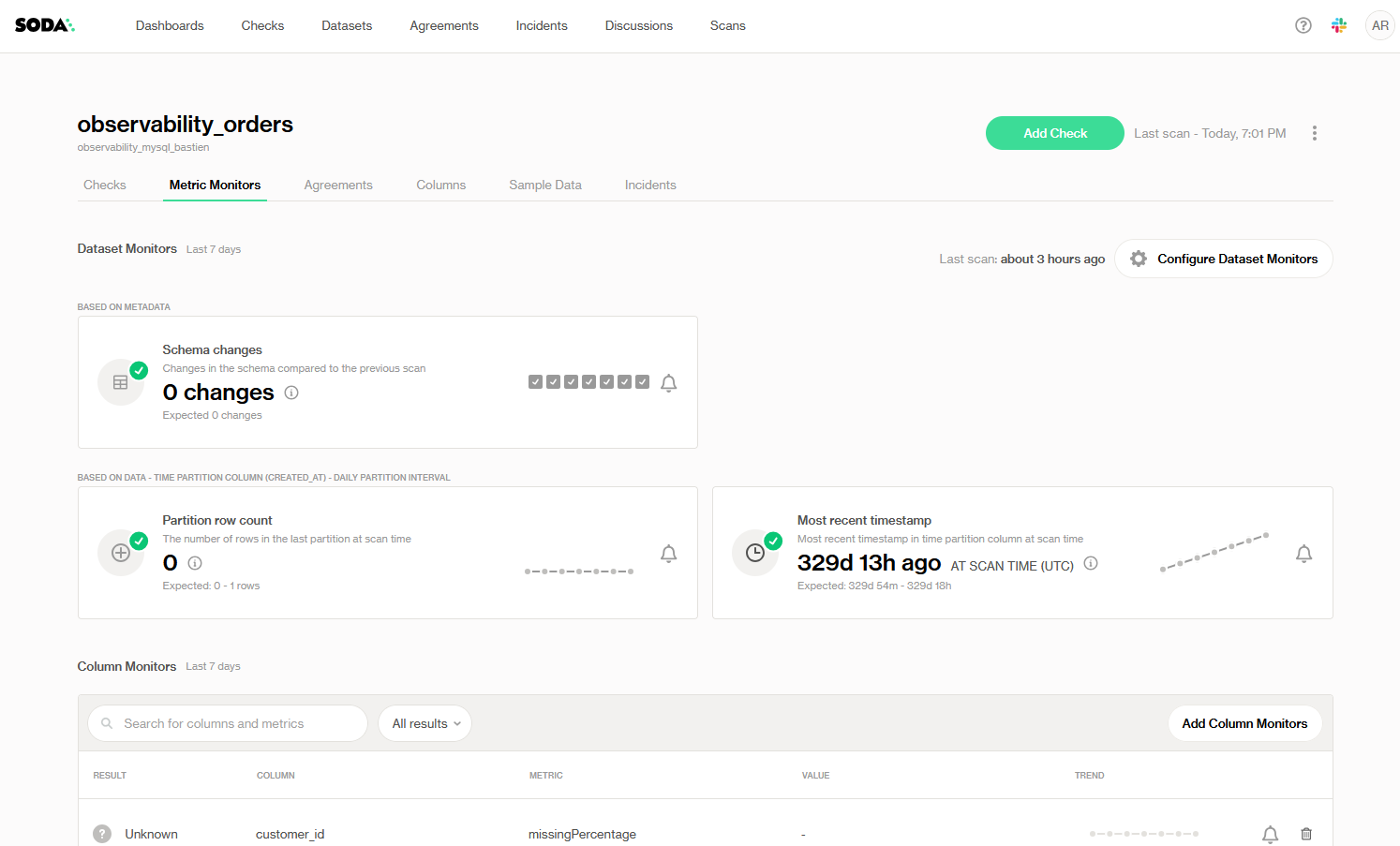
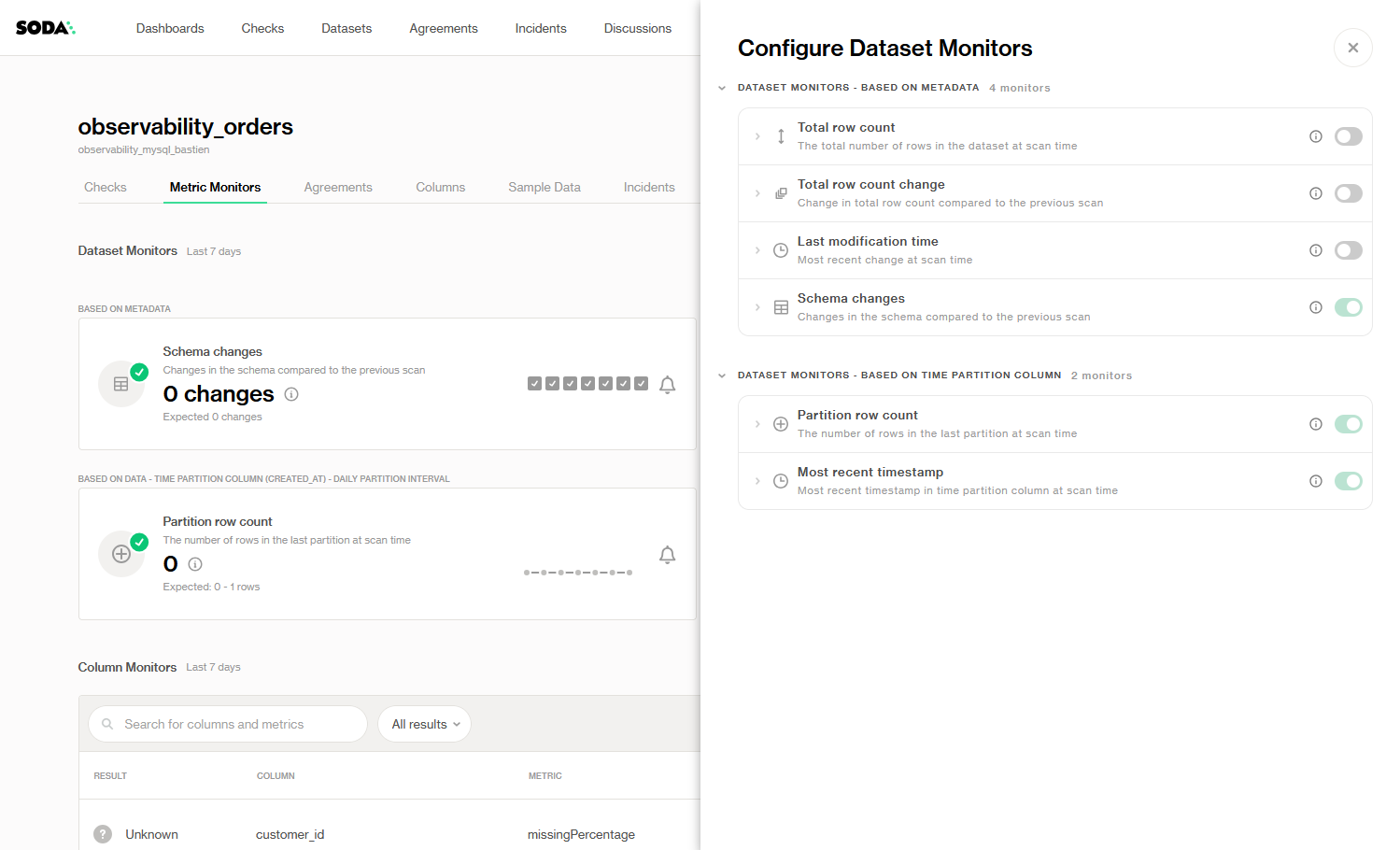
If a connected data source cannot provide the required metadata for a given dataset-level metric, such as row counts or schema timestamps, **Soda will automatically disable that metric** both on the Metric Monitors dashboard and in the **Configure Dataset Monitors** panel so you only see and configure metrics that your source can actually collect.

<figure><img src="/files/QkZbhi4yHJfsnvVcsgcs" alt=""><figcaption></figcaption></figure>

<figure><img src="/files/2WfuD2zlE3NQElx6NfJE" alt=""><figcaption></figcaption></figure>

### Unavailable metadata (history)

Some warehouses expose current metadata but don’t provide historical snapshots (for example, systems that only track the latest row count). In this case, **Soda will compute the metric starting from your very first scan**, but it cannot backfill any history prior to that point. As a result, anomaly detection baselines for that metric begin only at scan #1 and there is **no retroactive historical data** to train against.

<figure><img src="/files/Ayj6Qq2tb45pzqgVFB1Y" alt=""><figcaption></figcaption></figure>

The **Schema changes** monitor will not add historical metadata and backfilling will not be available, unlike with other metrics. The monitor only starts recording from the moment the dataset is onboarded.

## Supported data sources

<table><thead><tr><th width="185.79998779296875">Data source</th><th width="171.20001220703125">Onboarding</th><th>Metadata</th><th>Metadata history</th><th>Querying data</th></tr></thead><tbody><tr><td><a data-mention href="/pages/ctP9k7n5AxdoMIBmXxD2">/pages/ctP9k7n5AxdoMIBmXxD2</a></td><td>✅</td><td>✅</td><td>—</td><td>✅</td></tr><tr><td><a data-mention href="/pages/xlK0ugO80HSregboFQUM">/pages/xlK0ugO80HSregboFQUM</a></td><td>✅</td><td>✅</td><td>✅</td><td>✅</td></tr><tr><td><a data-mention href="/pages/jggdwLvBUVJjJlkdmGUe">/pages/jggdwLvBUVJjJlkdmGUe</a></td><td>✅</td><td>✅</td><td>✅</td><td>✅</td></tr><tr><td><a data-mention href="/pages/qQQSBTgs2jlSAdkxg3mF">/pages/qQQSBTgs2jlSAdkxg3mF</a></td><td>✅</td><td>Upcoming</td><td>—</td><td>✅</td></tr><tr><td><a data-mention href="/pages/dESWjWE03JmceyspJhlb">/pages/dESWjWE03JmceyspJhlb</a> (<a href="/pages/eW38AlRtSFOjYNj9fD11">Pandas</a>, <a href="/pages/lA3k9OMWjmbLKD1OfPPA">Polars</a>, etc.)</td><td>Partial/Python only</td><td>—</td><td>—</td><td>✅</td></tr><tr><td><a data-mention href="/pages/eCdm3TE8crsXRy3LKZpO">/pages/eCdm3TE8crsXRy3LKZpO</a></td><td>✅</td><td>✅</td><td>—</td><td>✅</td></tr><tr><td>MySQL</td><td>Upcoming</td><td>—</td><td>—</td><td>✅</td></tr><tr><td><a data-mention href="/pages/yymUzQ59nkr9L3YddiK0">/pages/yymUzQ59nkr9L3YddiK0</a></td><td>✅</td><td>✅</td><td>—</td><td>✅</td></tr><tr><td><a data-mention href="/pages/xqU5pcfJVCubI3BL8MAH">/pages/xqU5pcfJVCubI3BL8MAH</a></td><td>✅</td><td>✅</td><td>—</td><td>✅</td></tr><tr><td><a data-mention href="/pages/AUAQ8kj87Q98kRNninUy">/pages/AUAQ8kj87Q98kRNninUy</a></td><td>✅</td><td>✅</td><td>✅</td><td>✅</td></tr><tr><td><a data-mention href="/pages/KxwupsjjHWfxegxEzjwS">/pages/KxwupsjjHWfxegxEzjwS</a></td><td>Partial/Python only</td><td>—</td><td>—</td><td>✅</td></tr><tr><td><a data-mention href="/pages/jmuttQi4HNCqZoA6ehA6">/pages/jmuttQi4HNCqZoA6ehA6</a></td><td>✅</td><td>✅</td><td>—</td><td>✅</td></tr><tr><td><a data-mention href="/pages/hnAwM7zDdGkq4RkDqhBt">/pages/hnAwM7zDdGkq4RkDqhBt</a></td><td>✅</td><td>✅</td><td>—</td><td>✅</td></tr><tr><td><a data-mention href="/pages/GzT8YXwoPxHYCfTPHap4">/pages/GzT8YXwoPxHYCfTPHap4</a></td><td>✅</td><td>✅</td><td>—</td><td>✅</td></tr><tr><td><a data-mention href="/pages/2aL0YaZUaMgSp9hJMghh">/pages/2aL0YaZUaMgSp9hJMghh</a></td><td>✅</td><td>—</td><td>—</td><td>✅</td></tr></tbody></table>

***

{% if visitor.claims.plan === 'datasetStandard' %}
{% hint style="success" %}
You are **logged in to Soda** and seeing the **Dataset Standard license** documentation. Learn more about [Documentation access & licensing](/reference/documentation-access-and-licensing.md).
{% endhint %}
{% endif %}

{% if visitor.claims.plan === 'enterprise' %}
{% hint style="success" %}
You are **logged in to Soda** and seeing the **Team license** documentation. Learn more about [Documentation access & licensing](/reference/documentation-access-and-licensing.md).
{% endhint %}
{% endif %}

{% if visitor.claims.plan === 'enterpriseUserBased' %}
{% hint style="success" %}
You are **logged in to Soda** and seeing the **Enterprise license** documentation. Learn more about [Documentation access & licensing](/reference/documentation-access-and-licensing.md).
{% endhint %}
{% endif %}

{% if !(visitor.claims.plan === 'enterprise' || visitor.claims.plan === 'enterpriseUserBased' || visitor.claims.plan === 'datasetStandard') %}
{% hint style="info" %}
You are **not logged in to Soda** and are viewing the default public documentation. Learn more about [Documentation access & licensing](/reference/documentation-access-and-licensing.md).

If you do have a Soda license, make sure to **log in to Soda Cloud in this same browser**.
{% endhint %}
{% endif %}


---

# Agent Instructions
This documentation is published with GitBook. GitBook is the documentation platform designed so that both humans and AI agents can read, navigate, and reason over technical content effectively. Learn more at gitbook.com.

## Querying This Documentation
If you need additional information that is not directly available in this page, you can query the documentation dynamically by asking a question.

Perform an HTTP GET request on the current page URL with the `ask` query parameter, and the optional `goal` query parameter:

```
GET https://docs.soda.io/data-observability/metric-monitoring-dashboard/dataset-monitors/metadata-based.md?ask=<question>&goal=<endgoal>
```

`ask` is the immediate question: it should be specific, self-contained, and written in natural language.
`goal` is optional and describes the broader end goal you are ultimately trying to accomplish on behalf of the user. GitBook uses it to tailor the answer towards what is most useful for that goal.

The response will contain a direct answer to the question and relevant excerpts and sources from the documentation.

Use this mechanism when the answer is not explicitly present in the current page, you need clarification or additional context, or you want to retrieve related documentation sections.
